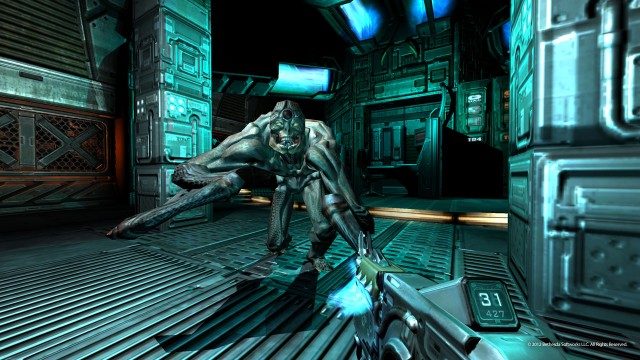
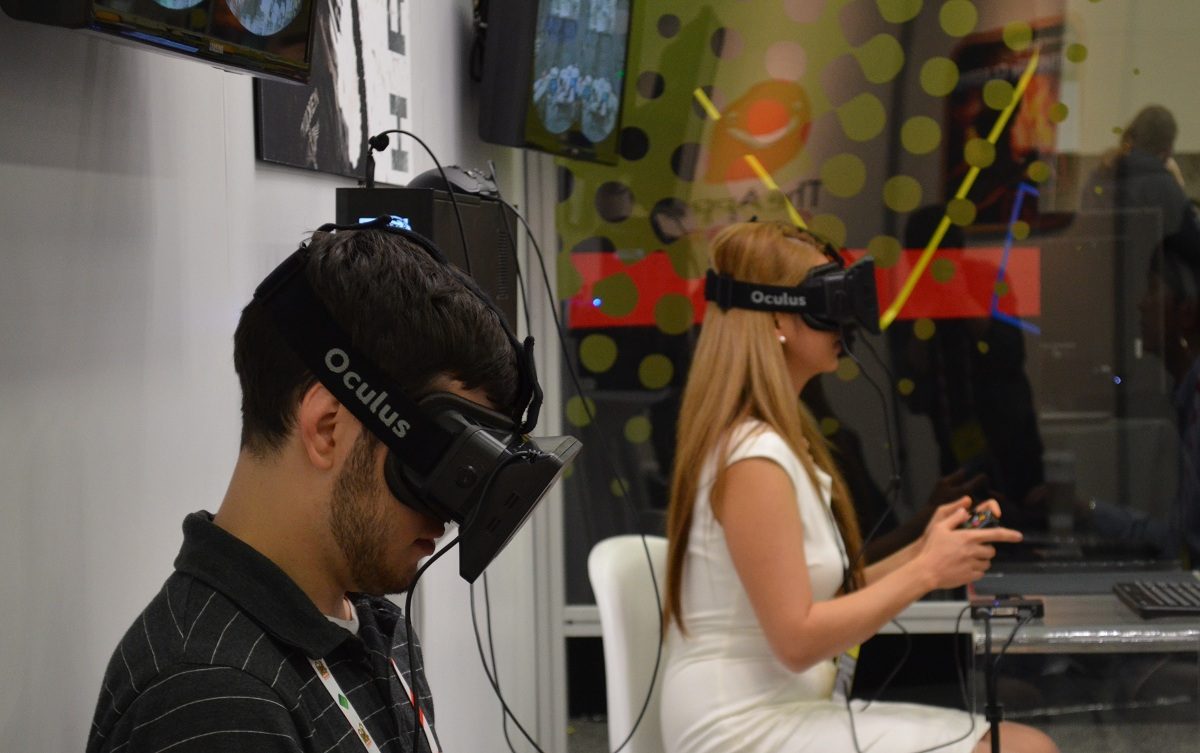
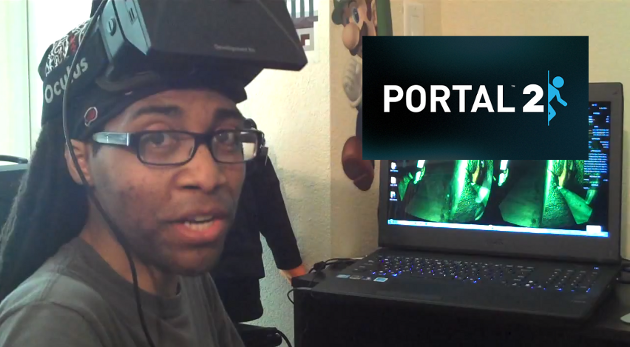
Cymatic Bruce joins us again for another Rift gaming session, this time it’s Doom 3 BFG! Inside you’ll find the game in action, how to set up Doom 3 BFG for the Oculus Rift, and recommendations for an optimal playing experience.
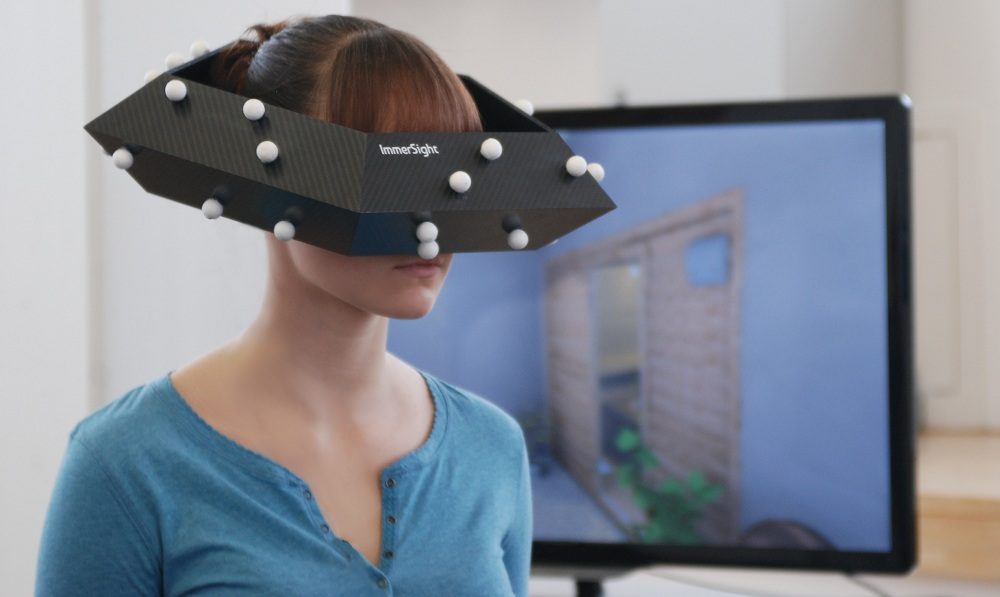
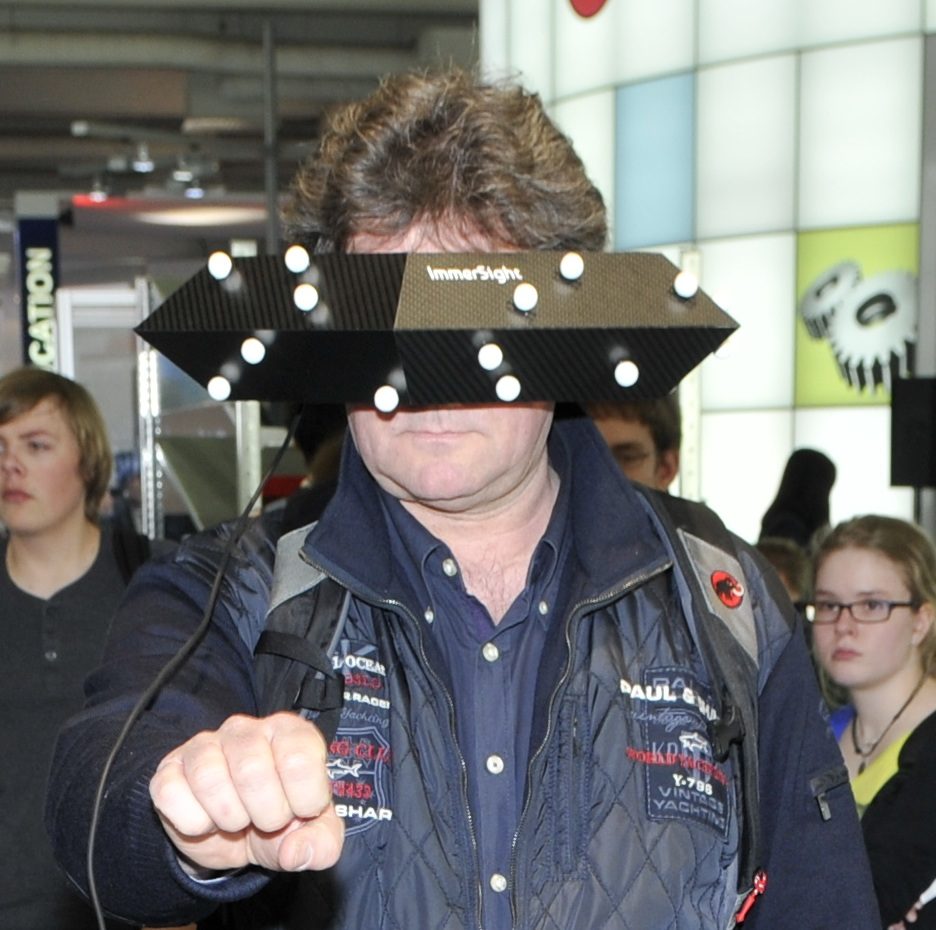
ImmerSight is a positional tracking system, that can be used with any head mounted display, being produced by a company in Germany. Notably, this could be a solution for the Oculus Rift developer kit which currently lacks positional tracking. The tracking system, which utilizes a webcam and a fashionable pentagon worn on the head, tracks translational head movements which can be used to enhance immersion.
At first glance you might think that the ImmerSight sensor ring would be unwieldy, but it actually only weighs 100 grams (slightly less than an iPhone 5), according to Stefan Hörmann, one of three graduates in the University of Ulm’s Institute of Measurement, Control, and Microtechnology that are responsible for the system.
This impressive weight is thanks to the use of ‘sandwich carbon’ which is a lot like foam-core except with carbon fiber instead of paper on the outside. For reference, the Oculus Rift weighs about 379 grams.
ImmerSight uses optical tracking from a 60 FPS camera that hangs above the user and tracks the white balls, made of cotton, that are mounted on the sensor ring. The camera detects the balls and the shape of the ring, and a computer does the computations to enable 6 DOF head tracking without an IMU. Hörmann has published a paper on the algorithm used for tracking which you can find here.
The walkable space is defined by the camera’s viewable area which has been seen in demonstrations as a circle about 6 feet diameter (though ostensibly it could be increased by raising the camera). A controller can also be used to navigate further inside the virtual world than the physical walking space would allow.
ImmerSight’s positional tracking can be paired with any head mounted display. So far it’s been shown off with the Carl Zeiss Cinemizer (check it out in our HMD comparison chart), but Hörmann tells me it could be adapted to the Oculus Rift as well. The system takes about 10 minutes to set up, making it a viable replacement for more complex CAVE systems.
The video below (in German), gives an idea of how ImmerSight works.
The system is currently positioned for the architectural visualization field with small and medium sized businesses in mind. Hörmann told me that ImmerSight could potentially work for individuals as well, but they’re still working out the price.
For now, ImmerSight is likely to be optionally bundled with the PaletteCAD architecture software. With a one click, users of PaletteCAD can render their architectural plans with textures and lighting to be viewed in the ImmerSight system.
The company is currently running five pilot projects with customers in Austria and Germany and expects ImmerSight to be available alongside PaletteCAD in October 2013.
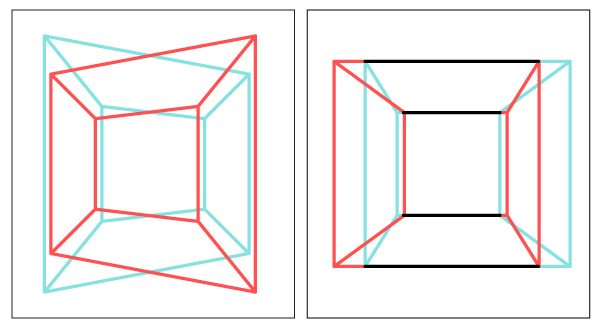
It turns out that rendering stereoscopic 3D images is not as simple as slapping two slightly different views side-by-side for each eye. There’s lots of nuance that goes into rendering a proper 3D view that properly mimics real world vision — and there’s lot’s that can go wrong if you aren’t careful. Oliver Kreylos, a VR researcher at UC Davis, emphasizes the importance of proper stereoscopic rendering and has a great introduction to 3D rendering for Oculus Rift developers.
The dangers of poor stereoscopic 3D rendering range from eyestrain and headaches to users not feeling right in the virtual world.
The latter of which is the “biggest danger VR is facing now,” Kreylos told me. The subtleties of improper 3D rendering are such that the everyday first-time VR user won’t think, “this is obviously wrong, let me see how to fix it.” They’ll say instead, “I guess 3D isn’t so great after all, I’ll pass,” says Kreylos. This could be a major hurdle to widespread consumer adoption of virtual reality.
Kreylos has a great introductory article about the ins and outs of proper stereoscopic 3D rendering: Good Stereo vs. Bad Stereo.
He also has an illuminating video that’s great for anyone not already versed in 3D:
“…here’s the bottom line: Toe-in stereo is only a rough approximation of correct stereo, and it should not be used. If you find yourself wondering how to specify the toe-in angle in your favorite graphics software, hold it right there, you’re doing it wrong,” Kreylos wrote in Good Stereo vs. Bad Stereo.
“The fact that toe-in stereo is still used — and seemingly widely used — could explain the eye strain and discomfort large numbers of people report with 3D movies and stereoscopic 3D graphics. Real 3D movie cameras should use lens shift, and virtual stereoscopic cameras should use skewed frusta, aka off-axis projection. While the standard 3D graphics camera model can be generalized to support skewed frusta, why not just replace it with a model that can do it without additional thought, and is more flexible and more generally applicable to boot?” he concludes.
Oculus Rift SDK and Unity Have the Basics, but There’s More That Can Go Wrong
“At the most basic, someone has to set up the proper camera parameters, i.e., projection matrices, to get the virtual world to show up on the screens just right. On the Rift, someone also has to do the lens distortion correction. Both these things are taken care of by the Rift SDK, by both the low-level C++ framework and the Unity3D binding. And as far as I can tell, both bindings do it correctly. It’s a bit more tricky in the Unity3D binding due to having to work around Unity’s camera model, but apparently they pulled it off.”
An example of a proper-skewed frustum 3D rendering
Kreylos checked his initial impressions with the SDK source code.
“For the Rift SDK, I went the source code route. I found the bits of code that set up the projection matrices, and while they’re scattered all over the place, I did find the lines that set up a skewed-frustum projection using calibration parameters read from the Rift’s non-volatile RAM during initialization. That was very strong evidence that the Rift SDK uses a proper stereo model. I then compared the native SDK display to the Unity display, and they looked as much the same as I could tell, so I’m confident about the Unity binding as well.”
“Any software based either on the low-level SDK or the Unity binding should therefore have the basics right,” he added.
But, there’s more that can go wrong. Developer vigilance is required.
“A lot of 3D graphics software does things to the virtual camera that they can only get away with because normal screens are 2D, such as squashing the 3D model in the projection direction for special effects, rendering HUD or other UI elements to the front- or backplane, using oblique frusta to cheaply implement clipping planes, etc. All those shortcuts stop working in stereo or in an HMD. And those tricks are done deeply inside game engines, or even by applications themselves. Meaning there are additional pitfalls beyond the basic stereo setup,” he said.
Kreylos gives the thumbs up to Oculus’ SDK documentation regarding correct stereoscopic 3D rendering, noting that inside there is a “very detailed discussion” on the matter. You can find the latest Oculus Rift SDK documentation here (after logging in). Anyone building an Oculus Rift game from the ground up should absolutely consult this document to get started with understanding proper 3D rendering.
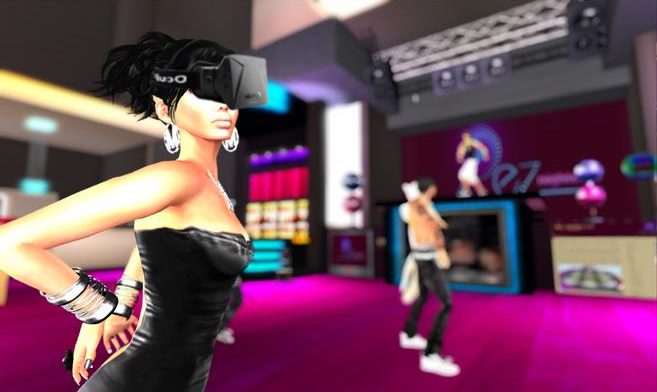
Second Life will soon be added to the list of Oculus Rift games, according to a report from New World Notes. A spokesman from Linden Labs, developer of Second Life, has confirmed Oculus Rift integration and promises “strong support” for the VR headset.
Second Life (2003)is a free massively multiplayer role playing game (MMORPG) where players create virtual avatars to inhabit the world. Players can create homes, clothes, buildings, and more; a virtual economy provides ways for players to sell and trade such goods. Second Life has around 33 million registered users.
“Yes, we plan to strongly support Oculus Rift. That means code, client, and server-side, to make the Oculus Rift experience excellent in Second Life”, NWN quotes Peter Gray, PR manager at Linden Labs. Gray didn’t offer a timeline for Second Life Oculus Rift support just yet – but judging by his words, the virtual reality studio is very interested in the device.
NWN is speculating that the first Second Life demos with Rift support could be released this year, with a full-fledged integration following when the consumer version hits the market. According to Oculus VR Inc’s own predictions, the Oculus Rift release should happen in Q3 2014 – so Linden Labs has lots of time to integrate a proper Oculus Rift mode into their version of the Metaverse.
In addition to the official information, several members of the development studios have unofficially pledged their support for the VR headset. Supposedly, there’s “lots of interest” and many Linden Labs developers are waiting for their private Oculus Rift dev kits. It will be interesting to see how well the Second Life integration for the Rift will work once it’s finished.
A New Challenger
Second Life is not the only MMORPG interested in VR — a possible competitor is already waiting around the corner; Philip Rosedale, original inventor of Second Life, has founded a new company called High Fidelity and wants to create “a new kind of virtual reality platform.”
Is it just a coincidence that his project has unveiled a few weeks after the first Oculus Rift developer kits shipped, or will High Fidelity’s VR platform support Rift as well? We’ll update you as new information pops up.
With support for these types of games on the way for the Oculus Rift, the acronym may grow comically longer — VRMMORPG.
Oculus VR. Inc has just announced that the Oculus Rift SDK has been updated to v0.2.1. Changes to the SDK include initial magnetometer-based drift correction, support for chromatic abberation correction, Mac OSX comaptibility for the c++ OculusWorldDemo and Unity integration, and more.
The initial magnetometer yaw drift support is likely to make developers happy. The Oculus Rift IMU/head tracker shipped with a built in magnetometer — a device that measures the Earth’s magnetic fields — but it has been inactive until now. The function of the magnetometer is to correct for yaw drift.
Drift happens when small errors in the tracker build up and eventually the unit thinks that it is pointing one direction when it reality it has ‘drifted’ elsewhere.
For example: you put on the Rift with virtual North and real North aligned, spin around for a little while, then return looking at virtual North. If the IMU has drifted, virtual North and real North will no longer be aligned. In use this might mean that you are facing your desk in real life but the virtual ‘forward’ direction may have drifted, which is problematic for obvious reasons.
The magnetometer uses the Earth’s magnetic field as a frame of reference to correct for IMU drift. It’s unclear at this point why Oculus didn’t have drift correction enabled in the first place, but now that it’s here developers can start using it in their programs.
The full patch notes are as follows:
New Features
Added initial magnetometer-based yaw drift correction. Press ‘X’ and ‘Z’ keys to calibrate in OculusWorldDemo.
Added support for chromatic aberration correction.
Added Mac OSX support to C++ OculusWorldDemo and Unity integration.
Redesigned SDK internals to make use of portable HID abstraction layer.
Added motion prediction to OculusWorldDemo app, it can be toggled with ‘P’ key.
Unity
Exposed new properties in OVRCameraController to toggle prediction, chromatic aberration, etc.
Added 64-bit Windows support.
Fixed deferred rendering shadow issues with Rift integration.
Bux Fixes
Modified StereoConfig to adjust projection center based on lens centers instead of IPD; this approach is correct considering collimated light.
Fixed renderer crash triggered on HD3000 when mip-maps were dropped.
Fixed occasional USB re-opening issues when USB connector is plugged back in.
Adjusted reported distance between lens centers to 63.5 mm.
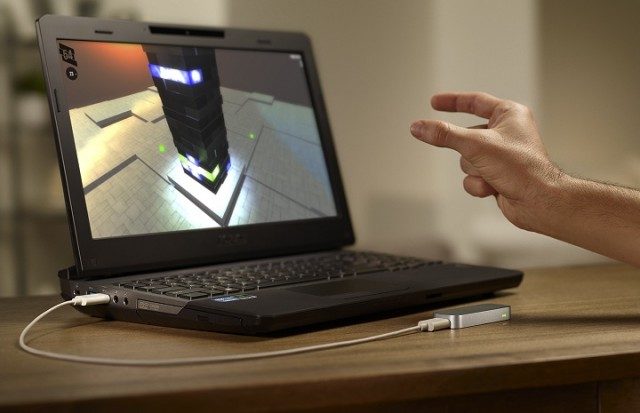
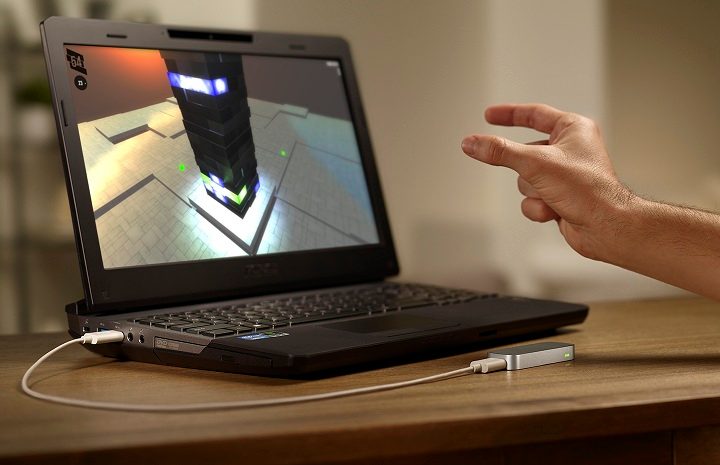
If you haven’t heard of the Leap Motion, you’ve got some catching up to do. It’s an $80 motion sensing peripheral, designed to sit on your desk, that boasts ultra low latency and ultra high accuracy for tracking hands and other objects. It seems like a natural fit for the Oculus Rift and virtual reality input, but so far we’ve seen much more development happening with the Razer Hydra than the Leap. Here’s a video showing early implementation of the Leap in unit combined with the Oculus Rift and positional webcam tracking.
Harley Witt is the author of this prototype and he tells me that this prototype is built in Unity with models from Asset Store. The positional head tracking is done with the webcam, which is likely part of the reason that it’s so jumpy.
“I took a sample Unity project that had simple hand and finger tracking and with Unity Mecanim feature it has an inverse kinematic system for head, hands and feet. It was fairly simple to pick a relative pointable object (Finger) and map it to a hand position for the IK,” said Witt.
It would seem that the Leap API is not yet terribly adapted for virtual reality input.
“…there are still big issues with the way Leap Motion implements it’s pointable objects. In a nutshell there is no persistance of object order and you can’t rotate your hand beyond sideways. Thumb is missing most of the time. Unity only has tracking for the palm, not the fingers anyway. When the coding starting getting more complicated I stopped (to hopefully let Unity and Leap Motion software catch up). There is much more one could do, but my priority will likely shift to the Hydra,” said Witt.
“…I seriously doubt it,” he said when I asked if the Leap was a viable VR input option for hands. ” The dev team doesn’t seem interested in pushing their capability into adequate skeletal tracking. They have point cloud data but they aren’t sharing it through an API (a little sad about that).”
Sad to hear given the capabilities of the Leap, but it should be noted that the company shipped out developer kits several months ago and the consumer model is shipping early next month. Thus there’s likely many improvements to be made down the road. Or at least we hope!
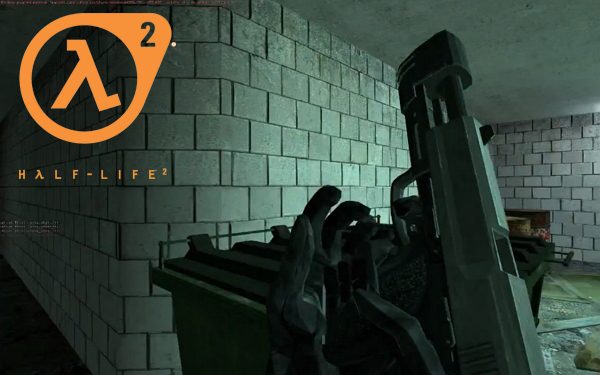
Last time we checked in on Nathan Andrews, he was working on a Half Life 2 VR mod to support independent head and gun tracking. Andrews has continued his work on the mod which now supports the Oculus Rift and brings the Razer Hydra controller into the mix. The early results look positively enjoyable and you can download alpha version of the Half Life 2 virtual reality mod today!
Half Life 2 is one of the games that I’ve been dying to play in virtual reality and it looks like I’ll finally have the chance to do so thanks to the work of Andrews.
The mod, which is an early alpha release, adds the independent head and gun tracking, as well as Razer Hydra support, to Half Life 2. The mod is used in conjunction with the Vireio Perception drivers which add Oculus Rift support. Andrews has a guide which lists all of the files and procedures necessary to get the mod working:
Andrews also offers some pointers for first-timers:
Don’t expect to be amazing right of the bat (and play on easy). It’s easy to forget how much time we’ve spent perfecting our ability to aim with a mouse, aiming with an actual physical object in 3D space is challenging at first. It’s also really rewarding as you realize how much better you are after a few hours.
Try not to run and gun too much, take your time, use walk whenever you don’t need to explicitly run, take in the atmosphere, use cover and pick off the enemies, etc. Sprinting around firing wildly and spinning around are all pretty disorienting with the rift, even though I don’t ever get motion sick it’s still just not an enjoyable experience.
This shouldn’t be surprising to anyone following along with the VR scene. Virtual reality is going to massively impact game design, and users are going to want to play differently than they would with a mouse and keyboard.
Take the Virtuix Omni VR treadmill for instance. In any one of the Halo games, the player’s character might traverse several miles on foot over the course of the game — sprinting the whole way. While there is a huge opportunity to naturally introduce exercise into the realm of videogames, players probably aren’t going to take well to games where they are expected to sprint constantly around a massive world. An example I’ve used before: a GTA style VR game might do better with a single detailed city block in which an intricate narrative plays out, rather than the city-roaming gameplay of current GTA games.
Seeing the reload animations up close in Half Life 2 is really cool and I’m looking forward to a game where someone introduces realistic gun mechanics (ie: clip loading, bolt pulling, shotgun cocking, etc.) which you’ll be able to actually do thanks to two virtual Hydra hands.
Below you can see some gameplay teasers of Half Life 2 with the Oculus Rift and Razer Hydra:
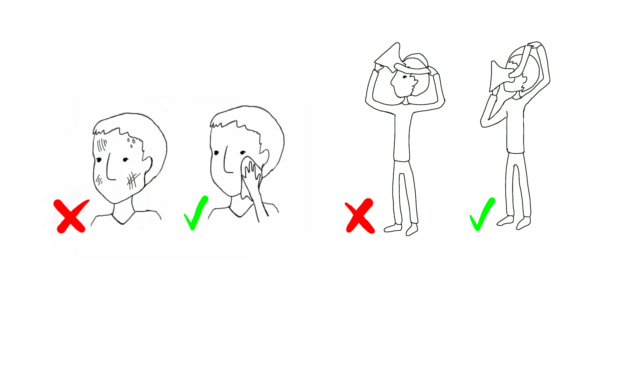
Christer-Andrew (aka Namielus) shares his 10 step illustrated guide on how to demo your Oculus Rift safely and effectively to your friends, family, colleagues or customers. Originally started as a post on the MTBS3D forums, this expanded and now illustrated version should ensure you’re well prepared for any possible Rift-demo-based scenario.
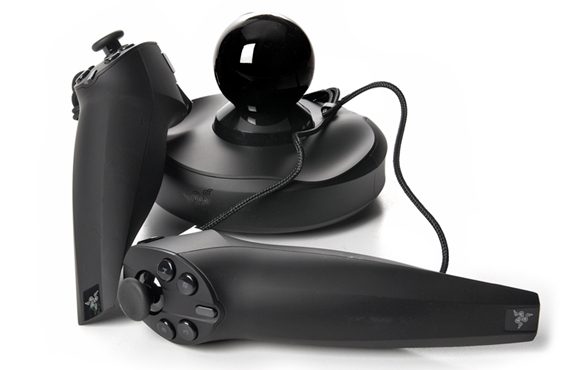
Today you can pick up the Razer Hydra for $40, which is 60% off of the retail price, from Woot.com. The Razer Hydra is a motion gaming controller created by our friends at Sixense which offers highly accurate 6 DOF magnetic tracking — many early Oculus Rift developers are using it for immersive virtual reality input.
Also to be noted, Razer has been running a ‘VR Promo’ since last month which will net you 50% off the Hydra ($50) or the Hydra Portal 2 Bundle ($70) which comes with a full copy of Portal 2 along with Hydra-exclusive levels. The latter of which is offered by Amazon for $91. The promo expires in little over a week, on April 30th at midnight.
And for those of you in the awkward position of already owning Portal 2 but not wanting to shell out for the Hydra Portal 2 Bundle, Sixense will kindly provide you with the Hydra-exlusive DLC for free when you send them the serial number of your standalone Razer Hydra. Just email them with your request and serial number here.
Hat tip to r/oculus user ‘Hangonasecond’ for pointing out this deal!
Razer Hydra Tuscany Demo
At GDC 2013 I got to play around inside the Oculus Rift Tuscany Demo which Sixense had fitted for full Razer Hydra support:
At GDC 2013, Oculus VR Inc. gave a series of presentations on virtual reality. The company has now posted Palmer Luckey’s talk, ‘Virtual Reality: The Holy Grail of Gaming’ online for your viewing pleasure.
Palmer Luckey’s Oculus Rift GDC 2013 Presentation, ‘Virtual Reality: The Holy Grail of Gaming’
“For years, developers have strived to make immersive virtual worlds, and gamers have spent countless billions on the systems that play them best. Software, hardware, and input devices have all leapt forward, but the connection between the player and the virtual world has remained limited. We’ve dreamed of stepping inside of our games, but the best we’ve been able to do is puppet characters through a tiny window! Technological progress in a variety of fields has finally brought immersive virtual reality within reach of gamers. We’ll discuss VR’s false starts, what’s different this time, and why virtual reality is poised to revolutionize the way we play games,” reads the official description of the presentation.
Luckey talks fast. I think it’s a combination of both nervousness and excitement. His enthusiasm for the topic pours out. He’s an impressively humble guy; his presentation claims that virtual reality is the “the holy grail of gaming,” not the Rift itself. He readily admits that where we’re still a long way from a perfect VR experience.
Luckey uses an interesting analogy that positions books and movies as mature media, while he says that video games are still young.
The crux of this analogy is that books and movies are done making advances that “fundamentally change the experience”. Advancements in these areas, he says, are changing how you read books, or how you watch movies, but the experience is still largely the same as it has been for some time.
Video games, on the other hand, are still a young medium and the leap to virtual reality will fundamentally change the experience of playing games, according to Luckey. It’s now possible to immerse people in ways that couldn’t be done before.
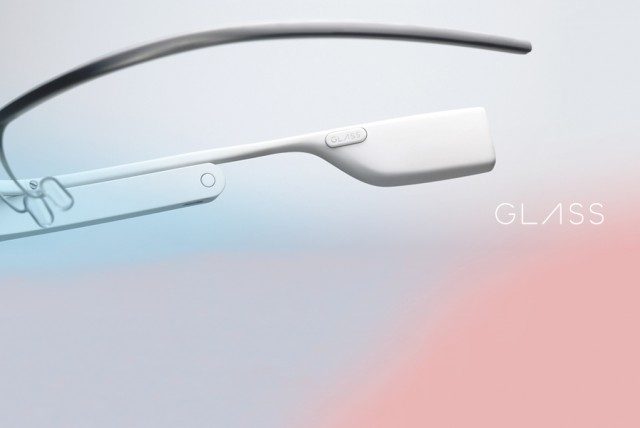
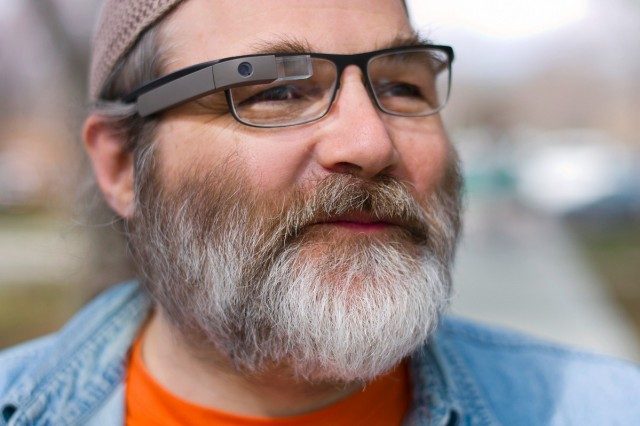
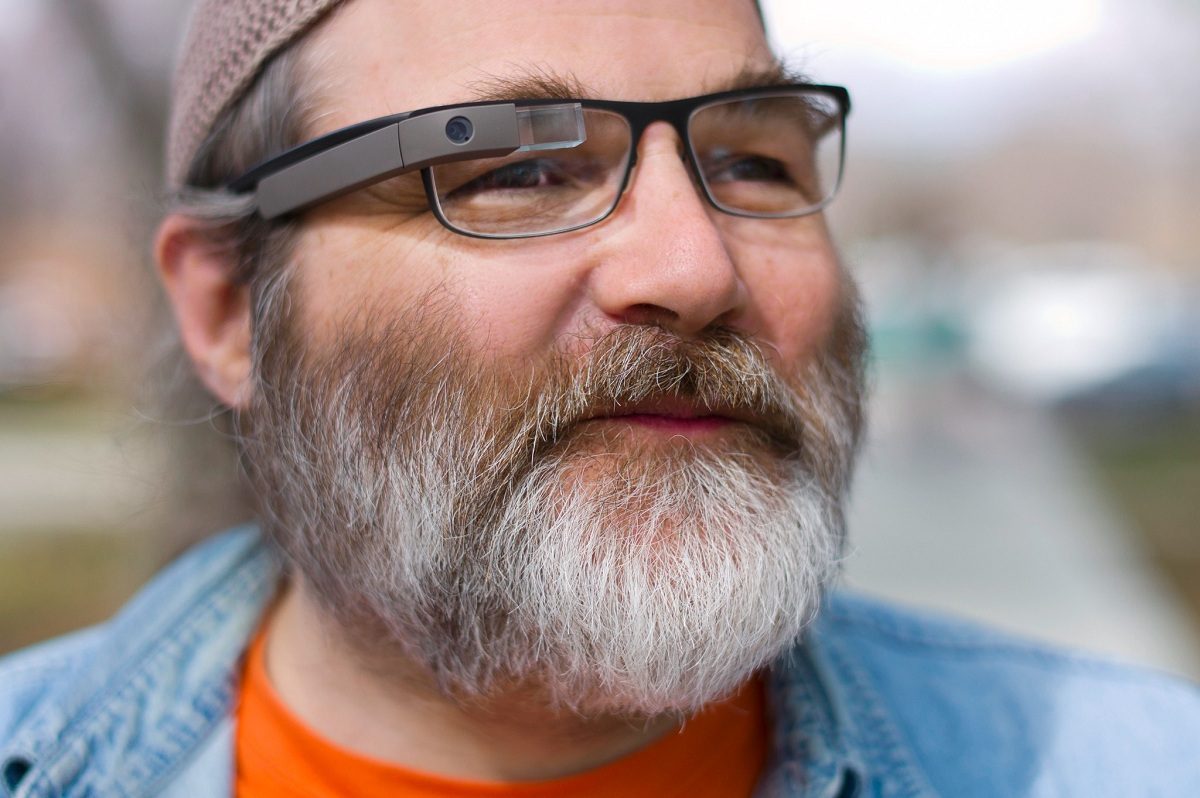
Google Glass videos are starting to pop up as the AR glasses reach early adopters. One video shows a cool perspective on a go kart race. Google has published the Glass manual online which reveals some official Google Glass specs and features.
The Google Glass manual gives a fairly detailed breakdown of what can be done with the unit. There’s a more graphical ‘Getting to Know Glass’ page available here.
The manual gives us the first official confirmation of some Google Glass specs:
Fit
Adjustable nosepads and durable frame fits any face.
Extra nosepads in two sizes.
Display
High resolution display is the equivalent of a 25 inch high definition screen from eight feet away.
Camera
Photos – 5 MP
Videos – 720p
Audio
Bone Conduction Transducer
Connectivity
Wifi – 802.11b/g
Bluetooth
Storage
12 GB of usable memory, synced with Google cloud storage. 16 GB Flash total.
Battery
One full day of typical use. Some features, like Hangouts and video recording, are more battery intensive.
Charger
Included Micro USB cable and charger.
While there are thousands of Micro USB chargers out there, Glass is designed and tested with the included charger in mind. Use it and preserve long and prosperous Glass use.
Compatibility
Any Bluetooth-capable phone.
The MyGlass companion app requires Android 4.0.3 (Ice Cream Sandwich) or higher. MyGlass enables GPS and SMS messaging.
The display section tells us that the display is ‘the equivalent of a 25 inch high definition screen from eight feet away’ which is a very long and annoying way to say that the Google Glass has a field of view is ~14.7 degrees (diagonally).
In the Google Glass FAQ section, it is mentioned that Glass shouldn’t be used by children under 13, along with those who have had Lasik surgery:
Like when wearing glasses, some people may feel eye strain or get a headache. If you’ve had Lasik surgery, ask your doctor about risks of eye impact damage before using Glass. Don’t let children under 13 use Glass as it could harm developing vision. Also, kids might break Glass or hurt themselves, and Google’s terms of service don’t permit those under 13 to register a Google account.
MyGlass App for Android
Google has launched a Glass companion app on Android called MyGlass.
MyGlass allows you to configure and manage your Glass device.
If you don’t have Glass, then downloading this will be a waste of time. Sorry about that. But if you swipe the screenshots to the right you’ll see there’s a picture of a puppy in pajamas. So not a total waste of time after all.
MyGlass also adds a few other features like identifying your location for turn-by-turn directions, sending and receiving SMS messages, ‘screencasting’ your Glass display, and more. The app requires Android 4.0.3 (Ice Cream Sandwich) or higher. Screencasting lets you stream your Glass camera view to your device.
As for iOS, BlackBerry, and Windows Phone, Google says that “all of the functionality of Glass is available via these devices’ Bluetooth connection, with the exception of SMS and directions.” I’m not entirely sure how screencasting could work without the MyGlass app, but I’d be happy if it did!
In partnership with Road To VR, I present Cymatic Bruce’s Video Breakdowns! For those that do not know me, I am a VR Vlogger that has been producing Oculus Rift gameplay videos and VR Development observations. You can check out what I have been up to on my YouTube channel. Nice to meet you!
These segments will be a space for me to dive a little deeper and expand upon my experiences with the Oculus Rift Development Kit. I almost always find something useful after I post a video, or one of my viewers may pass on information to make an experience better. Unfortunately, these nuggets of knowledge often get lost in the comments section never to be seen again. That all changes here! Let’s dive right in with a closer look at my latest experience, Portal 2.
Vireio and Head Tracking
Portal 2 is on the short list of games that work with Vireio Perception, an open source program that forces a game to recognize the Rift’s headtracking, play in stereoscopic 3D, and warp the screen properly for Rift viewing. Perception is an exciting tool, because the games we already love to play can be “retro-fitted” for VR. However, some tweaking will be needed to achieve a comfortable experience in the Rift. One of the easiest tweaks is head tracking.
Perception assigns pitch (nodding your head up and down) and yaw (turning your head side to side) to the in-game mouse control. By adjusting the mouse sensitivity, you can control the relationship between the distance you turn your head and the distance the in-game camera moves. In the case of Portal 2, turning the mouse sensitivity all the way down results in an approximate 2:1 relationship . Turn your head 90 degrees, then in-game camera turns about 45. Turn sensitivity all the way up for an approximate 1:7 ratio. Turn your head 90 degrees, and the game turns 630!
The desired setting will depend on personal preference. Some will prefer tracking 1:1, close to real life. I tried out the lowest setting, and found it very comfortable. I was able to use my head for precise aiming very easily. I will say that higher settings seem to increase the chance of mouse drift.
A strange side effect of having head tracking in a game that was not designed for it is “shadow crawl”, where real-time shadows and reflections shift around when you roll your head. I did the quick and dirty solution: disable the real-time shadows. To do so, type the following into the console:
r_shadows 0
FOV is Key
One of the most important adjustments to make in Portal 2 is to change the field of view, or FOV. This is accomplished by typing the following commands into the console:
sv_cheats 1
cl_fov 110
The FOV of Portal 2 will not go beyond 90 degrees unless cheats are activated.
Changing the FOV is a necessity in almost every game compatible with Perception. Most games have a standard FOV of 90 degrees, which is actually the same horizontal FOV of the Rift. However, you have to consider how little of the screen you see. Below is a rough estimate of what I see on screen, using the C lens cups. As you can see, my in-game horizontal vision is rather limited.
If you leave this alone, the entire game will look entirely too close to your face. It may make your eyes feel funny too – at least it did for me. Setting the FOV to 110 works in most games for me, give or take a few degrees. Depending on the lens cups you use and your level of comfort, this number may vary.
Why No Hydra?
Portal 2 is one of the few AAA titles that feature full Razer Hydra integration. Given how well the Hydra and the Rift work together, it is natural to assume that Hydra + Portal 2 + Rift is going to be the ultimate experience. Unfortunately, its not quite there yet. When the Hydra is in use, the mouse is deactivated along with the head tracking. You suddenly find yourself riding the movement of your right hand, which is a recipe for wooziness! Perhaps down the line we will see a proper implementation of VR into Portal 2, and be able to enjoy this stellar combination of peripherals!
Motion Sickness and Eye Strain
Portal is a franchise famous for its acrobatics and death defying drops. Experiencing these feats first hand in VR is not recommended for Rift rookies! I have been playing with the Rift for at least a few hours every day for the past 2 weeks, and even I almost fell out of my chair. Fortunately, I never felt queasy during gameplay, just had a pleasant tingly feeling that one might have after riding a really awesome roller coaster.
After 2 weeks of daily Rift use, I have no issues with eye strain or discomfort. When the IPD (Inter Pupilary Distance or distance between your virtual eyes) and convergence settings are right, your eyes will focus in the Rift similar to how they focus in real life. Thankfully, the latest build of the Vireio Perception includes a calibration tool that will ensure a pleasant viewing experience!
Thank you so much for reading and watching my humble content! If you have any questions, please feel free to post them to the VR Forum, or in the comments below.
Google Glass Explorer Dev Kits are being delivered to developers – and following suit are the first unboxing videos that show the device’s great production quality.
Last year at Google’s I/O conference, the web behemoth offered an exclusive look into its vision of the future of head-mounted devices: Google Glass. The augmented reality glasses created lots of buzz when Google released an interesting video of the technology in action. Interested developers could sign-up for the Google Glass ‘Explorer’ program at the conference, offering them early access to the high-tech glasses. Participation in the program didn’t come for free though – the development kit comes at a hefty price of $1,500.
It seems that Ben was spot on with his prediction more than 9 months ago about the number of pre-orders taken for Google Glass at I/O 2012:
“There’s no official word on how many pre-orders were placed. There were around 6000 people in attendance at Google I/O and pre-orders were open to US-based atendees only which probably cuts that number down to 4500. My best guess for how many pre-orders were placed is around 2000,” he wrote in an article in July of 2012.
As reported by Engadget, Google now says that “around 2,000” developers pre-ordered Google Glass through the ‘Explorer’ program. 8,000 additional pre-orders came through Google’s #ifihadglass campaign which ran from February 20th to February 28th, 2013.
Google Glass Glass Unboxing
Google Glass uses a small prism to display information to the wearer in a non-intrusive way, overlaying their view of reality and accepting speech commands for easy control of the device. Developers will be able to program apps for the glasses, so early participation of the developer crowd is one of Google’s main goals. The company has announced that the production of the first dev kit units has finished a few days ago and the first developers have now received their devices.
One of them is Dan McLaughlin, who has uploaded his Google Glass unboxing video to Youtube. And, like a true Google Glass wearer would do, he took his unboxing video through Google Glass itself!
According to his video, Google Glass comes in a very sophisticated package with great industrial design and high production value. Included in the sleek bag are the device itself, a charger, a carrying bag, extra nose-pads as well as a shaded and a clear version of the lens glasses. The video quality offered by the 720p camera is pretty good; his comments through the microphone are also easily understandable.
Unfortunately, sound farther away from the device isn’t recorded quite as well. You can hear this in an interview taken through Google Glass, which was done by Robert Scoble – who was pre-order number 107 at Google’s I/O 2012 conference.
Google says that Glass is shipping out in waves and that they’ll notify pre-orderers as they become available.
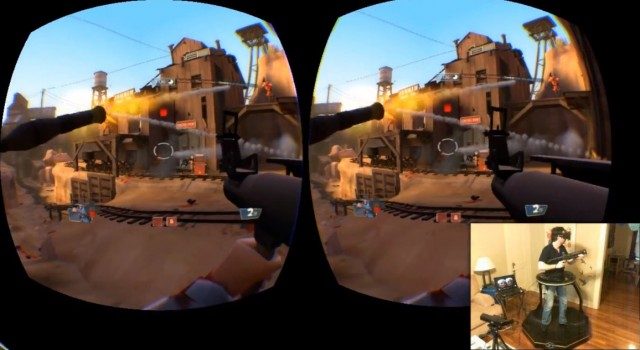
A new video of the Virtuix Omni omnidirectional treadmill shows the latest prototype unit being used to play TF2 with the Oculus Rift. As expected, using your entire body to move inside of the game looks significantly more immersive than using a keyboard.
Ladies and gentlemen, you’re looking at the future of gaming.
CEO of Virtuix, Jan Goetgeluk, told me about the TF2 experience that, “The action feels like real running. The immersion is intense. I had a former Marine try HL2 yesterday, and he was slightly shaking.”
At the moment the Virtuix Omni is using Kinect for tracking, but Goetgeluk say that the company is working on an integrated tracking solution that will be part of the Omni.
Actual running speed is not yet tied to in-game speed, according to Geotgeluk, but that will come in due time.