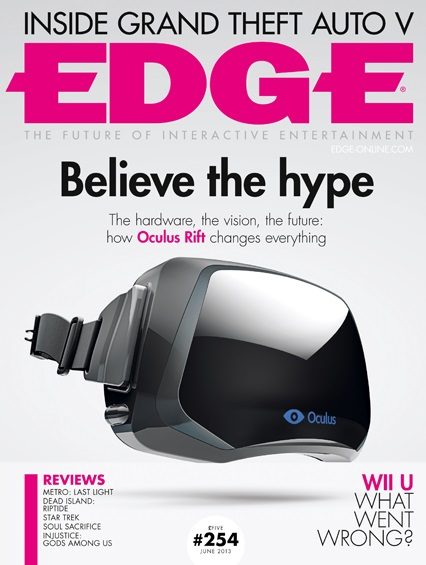
We’re happy to see the Rift on the front of one of the world’s biggest gaming magazines. Congratulations to Oculus VR Inc!
There were some nice insights into Oculus VR’s journey; from Brendan Iribe [CEO Oculus:
When we launched the kickstarter, I got hundreds of emails from these top-tier developers saying “we want to step inside of our game” … ” and literally these are developers of some of the biggest IPs in the world. They were emailing saying “we want to do this, and we want to be part of this from the beginning”
And a small nugget of info on forthcoming hardware revisions:
Latency and field of view will be improved in forthcoming dev kits, the resolution will be improved in the consumer model and positional tracking may be supported further down the line. Looking even further ahead, Luckey talks about the possibility of a wireless headset and motions controllers. But even now, the Rift delights just about everyone who uses it.
“On the cover is a story we first covered way back in issue 3 – the rise of virtual reality. After twenty years of VR misfires, Oculus VR’s creator Palmer Luckey explains why Rift changes everything and how it opens the door to a world of new design challenges,” writes the Edge blog.
Have you ever dreamt of flying? Kelly Weaver certainly has. He’s the developer behind a new sandbox flying ‘experience’ using the immersive power of the Oculus Rift and the motion precision of the Razer Hydra to make that dream an interactive VR experience. Kelly takes time out to talk to us and let’s us take a spin in an impressive early build.
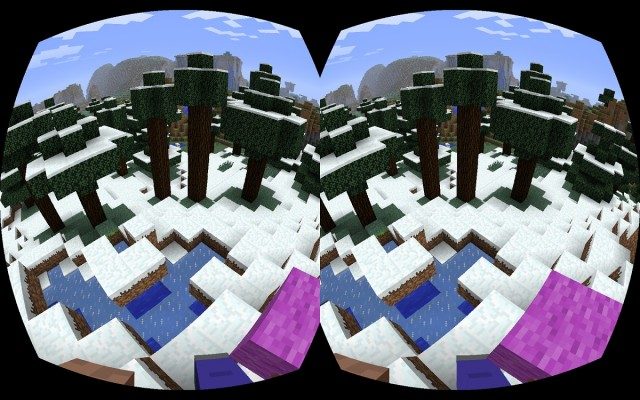
An update on something I’ve been eagerly looking forward to — Oculus Rift Minecraft support. While the game’s creators have hinted at official support, one modder is taking things into his own hands and has released an early mod.
Disunion is an experimental Oculus Rift game which puts the player through a first-person execution via the infamous Guillotine.
The game was created by Erkki Trummal, André Berlemont, and Morten Brunbjerg in two days as part of the Exile Game Jam in Denmark which ran from May 1st – 5th.
In the video above (mind a few NSFW words), several people get to experience their own simulated execution by Guillotine thanks to Disunion. The reactions seem pretty intense — especially with an unexpected whack on the neck from a ‘friend’.
While I haven’t yet been able to step into the Guillotine myself (I never thought I’d write that sentence!), I have a strong feeling that realistic audio will be key to a visceral reaction. A proper binaural recording could make the experience sound incredibly realistic and frightening.
I’ve spent the past few weeks inside virtual reality doing things I have never dreamed I’d get a chance to do in real life. I’ve been in space. I’ve driven all sorts of interesting vehicles. I suppose it was only a short amount of time before a team wanted to show us how it would feel to die. You don’t fail at a task before losing your head, being killed is the entire point of the game. This was an interesting experiment, and I’m glad I was given a chance to try it, but it’s nothing I want to go through again.
Perhaps this could become part of a high-school lesson on the famous beheading of Marie Antoinette — I doubt students would soon forget it!
While We’re at It… Some Interesting Guillotine Facts
While a popular myth purports the Joseph-Ignace Guillotin, co-creator of the device, was killed by his own invention, Guillotin was actually opposed to the death penalty and died of natural causes in Paris at the ripe age of 75. An unrelated man bearing his family name, J.M.V. Guillotin, was executed via Guillotine, possibly contributing to the myth.
Though the evidence about life after beheading is inconclusive, a doctor by the name Beaurieux penned an illuminating account of his experimentation with the head of a condemned prisoner on 28 June, 1905:
Here, then, is what I was able to note immediately after the decapitation: the eyelids and lips of the guillotined man worked in irregularly rhythmic contractions for about five or six seconds. This phenomenon has been remarked by all those finding themselves in the same conditions as myself for observing what happens after the severing of the neck …
I waited for several seconds. The spasmodic movements ceased. […] It was then that I called in a strong, sharp voice: “Languille!” I saw the eyelids slowly lift up, without any spasmodic contractions – I insist advisedly on this peculiarity – but with an even movement, quite distinct and normal, such as happens in everyday life, with people awakened or torn from their thoughts.
Next Languille’s eyes very definitely fixed themselves on mine and the pupils focused themselves. I was not, then, dealing with the sort of vague dull look without any expression, that can be observed any day in dying people to whom one speaks: I was dealing with undeniably living eyes which were looking at me. After several seconds, the eyelids closed again […].
It was at that point that I called out again and, once more, without any spasm, slowly, the eyelids lifted and undeniably living eyes fixed themselves on mine with perhaps even more penetration than the first time. Then there was a further closing of the eyelids, but now less complete. I attempted the effect of a third call; there was no further movement – and the eyes took on the glazed look which they have in the dead.
The latest game out of Project Holodeck is Zombies on the Holodeck, a noir-styled zombie game for the Oculus Rift and Razer Hydra. In addition to an exclusive trailer, we’ve links to the alpha so that you can try it yourself!
Project Holodeck is system in the works by a team of students at the University of Southern California. The Holodeck itself is a portable multiplayer virtual reality environment with, full body tracking, which makes use of the Oculus Rift and Razer Hydra.
The Holodeck team created the game to work with a myriad input devices. It can be played on the full Project Holodeck setup, with just the Oculus Rift and Razer Hydra, with the Hydra alone, or even with a mouse and keyboard.
Note: you must have Microsoft .NET 3.5 or above installed (installed included in download)
Be sure to check the included readme for controls, troubleshooting, etc.
Today’s release marks an early prototype version of the game. Project Holodeck’s Producer, James Iliff, tells me that, with enough interest from the community, they’re considering taking the game to Kickstarter to raise funding for a fully polished version of the game — something we’d love to see.
Inside Zombies on the Holodeck
Paul has put together some hands-on gameplay footage of the game using the Rift and the Hydra (see below):
This is what he had to say on his experience:
Zombies on the Holodeck is the first game I’ve played which attempts to implement realistic physicality into its gunplay. The requirement to pick up, aim and reload with actions analogous to real-life heightens the tension you feel when faced with armies of marauding undead. It also magnifies the satisfaction of taking them down, giving real weight to the action.
The Project Holodeck team continue to blaze a trail in this new world of VR gaming. Conceptualising the mechanics required to make VR games ‘work’ is no easy feat but what they’re coming up with will doubtless be built upon and refined by them and others as VR gaming develops. Early days then, but ZOTH is already looking extremely promising.
Inside the game world you find yourself on the streets 1920s-themed Chicago, apparently at the epicenter of the zombie outbreak. Never ending waves of brain-hungry undead will come for you. It’s your job to survive.
Holstered on your left and right legs are two pistols. On your left shoulder there’s also a clip which you can grab and put into your pistol to reload. On the right shoulder you’ll also find a flashlight to light up the darker areas of the map. All must be reached for and grabbed with the Hydra’s trigger. Bumpers on either hand are used to shoot weapons.
I’ve been waiting patiently for someone to to make an Oculus Rift + Razer Hydra game where you can cock a shotgun — it’s finally here — and it’s every bit as fun as I hoped it would be!
In addition to the shotgun there’s also a Thompson, and a sniper rifle which you actually have to hold up to your face to look through the scope.
Cymatic Bruce on Zombies on the Holodeck
We dropped Cymatic Bruce into Zombies so see what he thought about the experience:
Zombies on the Holodeck was intense. I didn’t expect it to be so – I had read about it beforehand, and thought that the old-timey music and film tropes would make it kind of hokey. That was not the case at all.
I plopped into the world and checked out the huge 30’s style movie title as it zoomed toward my face. I picked up the Razer Hydra and took a look at my hands, which seemed a bit cartoony but cool. Then things got real. The foreboding music, combined with the lack of color and the occasional lighting flashes, set a spookier scene that I anticipated. I walked around, looking for a place to go, and then I heard it. The grunt and mumble of a zombie.
I whipped my head around and there he was – a spiky haired, shuffling monstrosity. I ran into a building and up some stairs, finding a room with a sniper rifle. I grabbed it with one hand, but was unable to get my other hand on it in my panic. By that time, the zombie and a few of his friends had caught up. So I did what anyone would do: I attempted to beat them senseless with the sniper rifle! That’s when I knocked my cereal bowl and several other items to the floor in real life.
Zombies on the Holodeck sets out to place the player in a radically different version of reality, and I would say that its executes this well. I am finding through my VR experiences that a consistent universe, no matter how stylized, is more important than photo-realism. ZOTH is a wonderful example that supports this idea!
I shared a similar experience of panic. While exploring the level I wasn’t paying attention to the zombies creeping up around me. As I turned around I found myself with my back to a dead-end and a horde of zombies in front of me. I frantically reached for my clip to reload my pistol — but it was too late. Experiences like that simply can’t be had when all you need to do to reload is ‘Press X’.
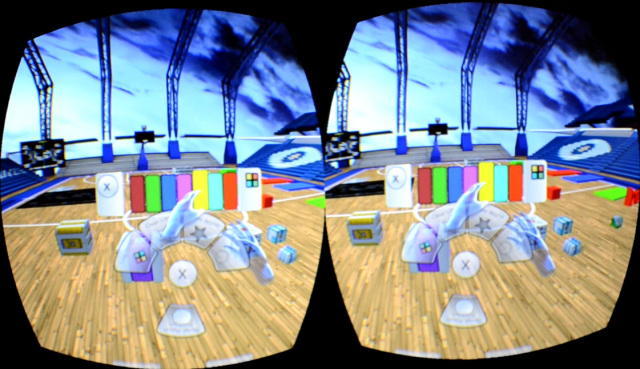
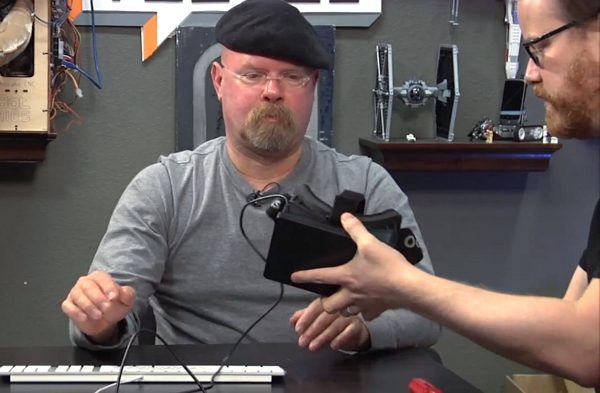
Recently I had a chance to meet with Dave Buchhofer, a 3D artist and developer, who has been working to find intuitive VR control schemes. Part of this requires a functional user interface, and I got to see some of Buchhofer’s early work on that front.
Dave Buchhofer works for a large architecture firm. He sees virtual reality as a great way to show clients what the firm’s work will look like before they commit to a design. For that to work, such a VR architecture visualization system has to be extremely easy to use — anyone should be able to pick it up and navigate a virtual space, not just those familiar with video games.
To that end, Buchhofer has been experimenting with various control schemes and interfaces with the Razer Hydra in his Oculus Rift playground test environment which is built in Unity. For his early interface experiments he’s using a middleware UI plugin called NGUI. From there he integrated Razer Hydra support.
I got to step into Buchhofer’s Oculus Rift playground to try out the early interface for myself. It felt extremely fluid and easy to use — probably because having your hands in the game with the Razer Hydra is so natural.
Just reach out to the button you want and it’s there. It felt faster and easier than repeatedly tapping a control stick or arrow key to cycle through until reaching the option you want. Contextual menus were attached to your wrist and would pop up when holding an object; it feel like using a futuristic holographic interface-on-a-glove, a la Dead Space.
I briefly played with the line-drawing function which was way more fun than I thought it would be. There’s just something about being able to draw a floating object from the tip of your finger, while running around, that taps into your inner 10 year-old.
Then I got to try surfing/flying — what an experience! I stepped onto the board, grabbed it with my hand, and lifted upward to ascend. I immediately got the feeling that I was rocketing up into the air as I saw the environment diminish below me. When I made myself fall back toward the ground I felt like I was falling! It did make me a bit queasy, but it was so fun that I kept at it for a bit longer than my body seemed to like. It felt just like flying in a dream.
If you have a Rift and a Hydra, you can try the latest version of Buchhofer’s Oculus Rift playground here.
I’m looking forward to seeing more of Buchhofer’s work, and when I do, I’ll be sure to share it here!
Time again for another segment of Oculus Rift News Bits! What’s happened lately? Oculus says they’ve officially shipped 3,700 units. VP of Product Nate Mitchell was seen in Stockholm, Sweden visiting Battlefield 3 developer, DICE. And we’ve got a few funny videos showing reactions of folks riding the Epic Citadel VR Roller Coaster!
Oculus Rift Shipments
Official confirmation that Oculus has shipped 3,700 units comes from Oculus VR Inc’s latest blog update. The company says they’ve now manufacturing around 1,250 dev kits per week. They’ve also completed setup at fulfillment centers in Europe and Asia which they expect to reduce shipment/processing time to those regions. Here’s the breakdown of where units have shipped so far:
500 to Asia and Oceania
700 to Europe
2,500 to North America
Given this data, we can make a rough projection of future shipment dates:
Unit #
Shipment Date
3,700 – 4950
May 1- 7
4951 – 6201
May 8 – 14
6202 – 7452
May 15 – 21
7453 – 8703
May 22 – 28
8704 – 9954
May 29 – June 4
9955 – 11205
June 5 – 11
11206 – 12456
June 12 – 18
Oculus has previously said that they anticipate their production rate to increase up to 1,500 units per week, so it’s possible that this schedule will accelerate by a few days as time goes on.
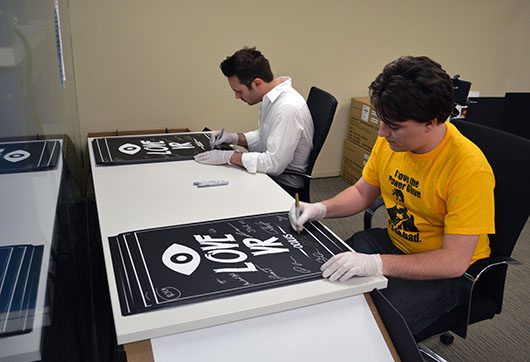
Palmer and Brendan sign Kickstarter posters
Furthermore, Oculus says they’re finally sending out posters and shirts for those who got them through the Kickstarter.
Micahel Antonov’s Oculus Rift Presentation at GDC 2013
Also part of their latest blog update, Oculus has now published Michael Antonov’s Oculus Rift GDC talk for your viewing pleasure. Antonov is Oculus VR Inc’s Chief Software Architect and co-founder of Oculus.
The video is part of Oculus’ ‘Running the VR Gauntlet — VR Ready, Are You?’ session at GDC 2013 in March. Here’s the official description:
Virtual reality may be poised to revolutionize the way we play our favorite games, but creating a great VR game is surprisingly challenging. Developers have to carefully consider latency, user input, rendering performance, UI design, and overall user experience. We’ll discuss what developers need to know about supporting the Oculus Rift, how to tackle the major technical hurdles associated with truly immersive virtual reality, and what we’ve learned so far from building a new platform for VR games.
Oculus’ VP of Product, Nate Mitchell, also spoke during this presentation, but Oculus hasn’t yet published his section.
Oculus Visits Battlefield 3 Developer, DICE
Nate Mitchell recently took a trip to Sweden to meet up with DICE, developers of Battlefield 3 (2011) and other big titles like Mirror’s Edge (2008).
A few months ago we caught wind of a DICE job posting looking for someone to “investigate and implement support for Occulus Rift SDK in the Frostbite Engine.” All signs point to DICE being quite serious about the Rift — the official Battlefield twitter account also made mention of Mitchell’s visit. Oculus Rift Frostbite support could mean integration with past and future titles, like the forthcoming Battlefield 4. Currently, Oculus Rift users can play Mirror’s Edge with unofficial support from the Vireio drivers (see the ‘Third-Party’ tab on our Oculus Rift Games list for other Vireio supported titles).
Epic Citadel VR Roller Coaster Reactions
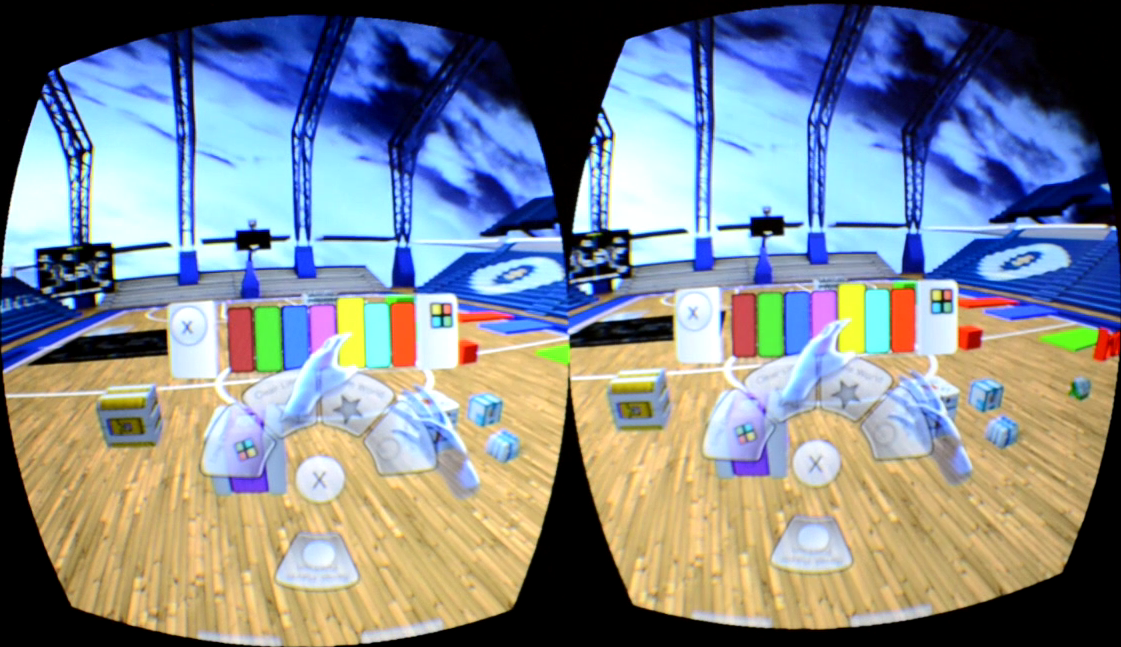
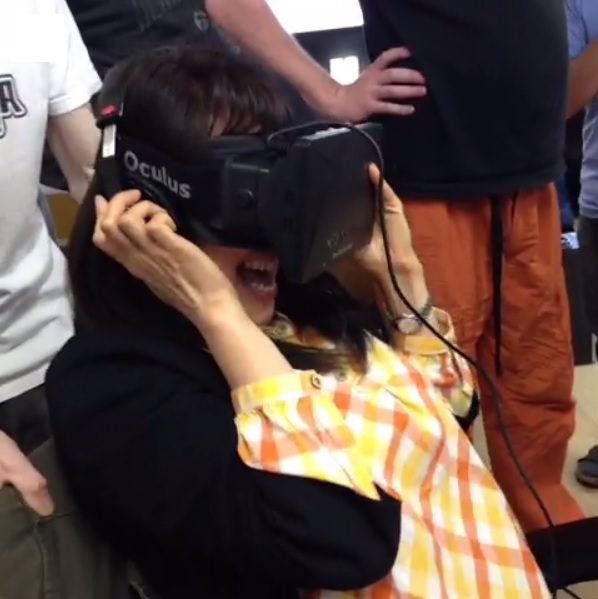
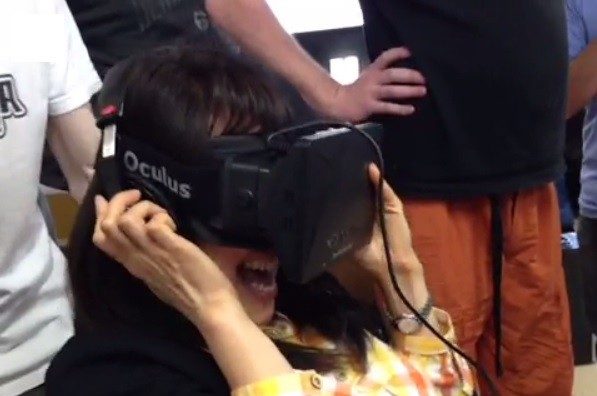
User boone188 from the MTBS3D forums build a roller coaster inside the Epic Citadel level (a test level for Unreal Development Kit). I’ve had a chance to test it out; it’s quite a bit of fun and a great way to tour the Citadel grounds! Here’s a few funny reaction videos of people riding the virtual reality roller coaster:
And the last one is a great collection of reactions from Norwegian site DBTV, see it here!
EVE Online Oculus Rift support is a dream for many players of the space MMORPG epic. That dream might soon be realized; CCP Games was one of the earliest backers of the Rift Kickstarter and has shown strong support for the virtual reality headset at EVE Fanfest 2013 by unveiling EVR, a 6 vs. 6 space dogfighting game that was made exclusively for the Oculus Rift.
CCP Games is the Icelandic publisher and developer of Eve Online (2003), the space MMORPG that has been running for a whole decade and still entices thousands of players. What’s more interesting for us here at Road to VR: they were one of the earliest and biggest backers of the Oculus Rift Kickstarter and have shown the possibilities of the Rift at EVE Fanfest 2013 with their secret internal project, EVR. It’s a space dogfighting game in the EVE Online universe that supports the Rift’s head-tracking, so you can see other spaceships flying by your cockpit and even shoot missiles at them by locking onto them with your head. EVR was developed in Unity very quickly, using assets from the EVE Online universe.
EVR: One of the Best Demos for the Oculus Rift
Unfortunately, there are currently no plans to release EVR as a standalone game, it’s just a quick demo to show off the possibilities of virtual reality in the space game genre. Nevertheless, the quality of the game seems to be very high. According to most of the testers, EVR is one of the best showcases for the Oculus Rift and even videogames in general. “The rush of being launched out of a Minmatar carrier’s hanger into a vast black expanse filled with asteroids, floating spaceship wreckage, and enemy fighters coming at you at high speed is unlike anything I’ve experienced in other space shooters.” writes PCGamesN.com’s Julian Benson. Even higher praise comes from Pamela Horton, Playboy’s ‘Miss of October’ 2012 and avid gamer:
“It is seriously one of the funniest and most immersive games I’ve ever played, and it was only a three-minute demo! (…) I cannot even begin to express how fun and immersive this game is. I sincerely hope the Rift consumer version comes out soon with EVR as a full-scale game. I have never had a demo draw me in so fast!”
The game was built in just seven weeks, according to an EVR background article at digitaltrends.com. A small team of around 10 Rift-enthusiastic developers at CCP coded the game completely during their free time.
“In one week we had something running, and from that point onward the game changed every day, every two days”, says Sigurdur ‘Siggy’ Gunnarsson, a Senior Web Developer at CCP Games. “We just met after work and we had loads of ideas, and then the prototype was working later that night. So it just went really, really fast.”
EVE Online Oculus Rift Support Coming?
To be clear, CCP Games has not announced EVE Online Oculus Rift support in any way yet – and there aren’t any plans to release EVR right now (nevertheless, there’s a petition to release it to the public). However, it’s not too far out to think it could become a reality. EVR is a demo that shows how quickly you can develop for the Oculus Rift. Also, it’s CCP Games’ push to get more publicity for Oculus Rift support in games.
“That’s why we’re doing this,” Gunnarsson said. “We want this done. We want this to become a reality for ourselves, as gamers.” The excitement seems to be palpable at CCP Games, which is further supported by the fact that they were one of the earliest and largest backers of the Oculus Rift Kickstarter. This information comes out of a video interview with Nate Mitchell, VP of Product at Oculus VR Inc, who was at EVE Fanfest to see how well EVR would be received.
With all the Rift enthusiasm at CCP Games and the outstanding reception of EVR, we at Road to VR sure hope that there’ll be full EVE Online Oculus Rift support in the future. If not, there’s always still Star Citizen to cling to. Would you like to fly around in space with the Oculus Rift? Or do you think that other genres would be more fitting? Discuss with us in the comments!
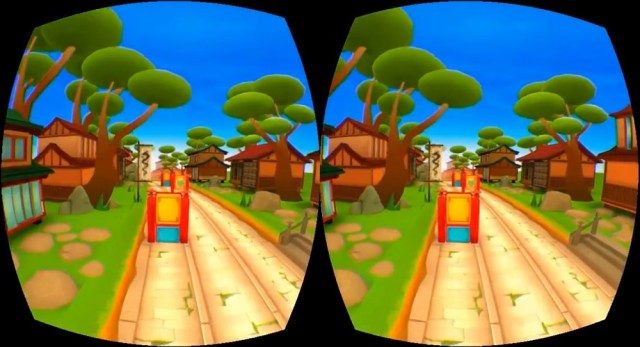
Developer Marcelo Oliveira, Kickstarter backer #117, is working on an ‘infinite runner’ game for the Oculus Rift — the genre seems to fit surprisingly well! Oliveira hopes to release the game for free in the near future.
Google Glass currently costs a cool $1500. And while Google built the unit to be water resistant, so that the wearer wouldn’t have to worry about the rain, one man took things to the next step… the shower.
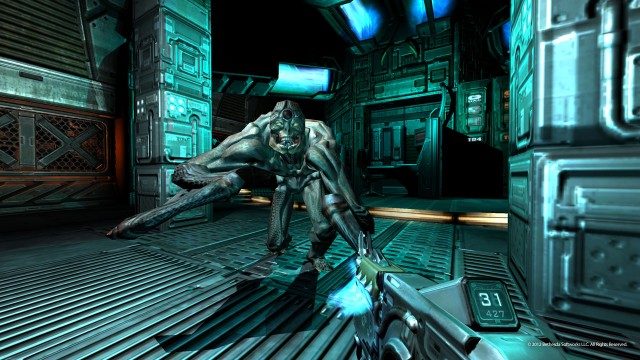
Cymatic Bruce joins us again for another Rift gaming session, this time it’s Doom 3 BFG! Inside you’ll find the game in action, how to set up Doom 3 BFG for the Oculus Rift, and recommendations for an optimal playing experience.
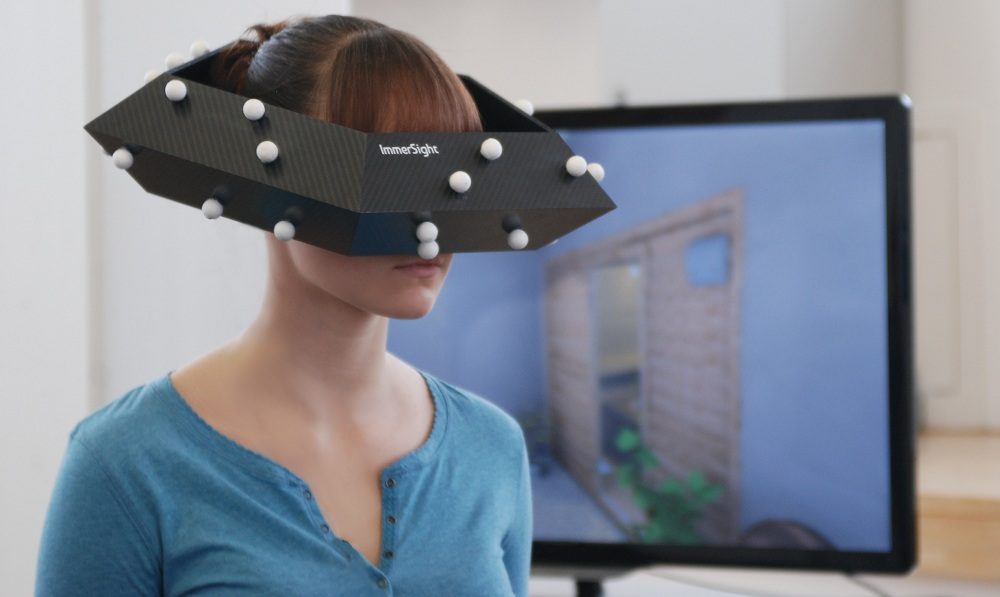
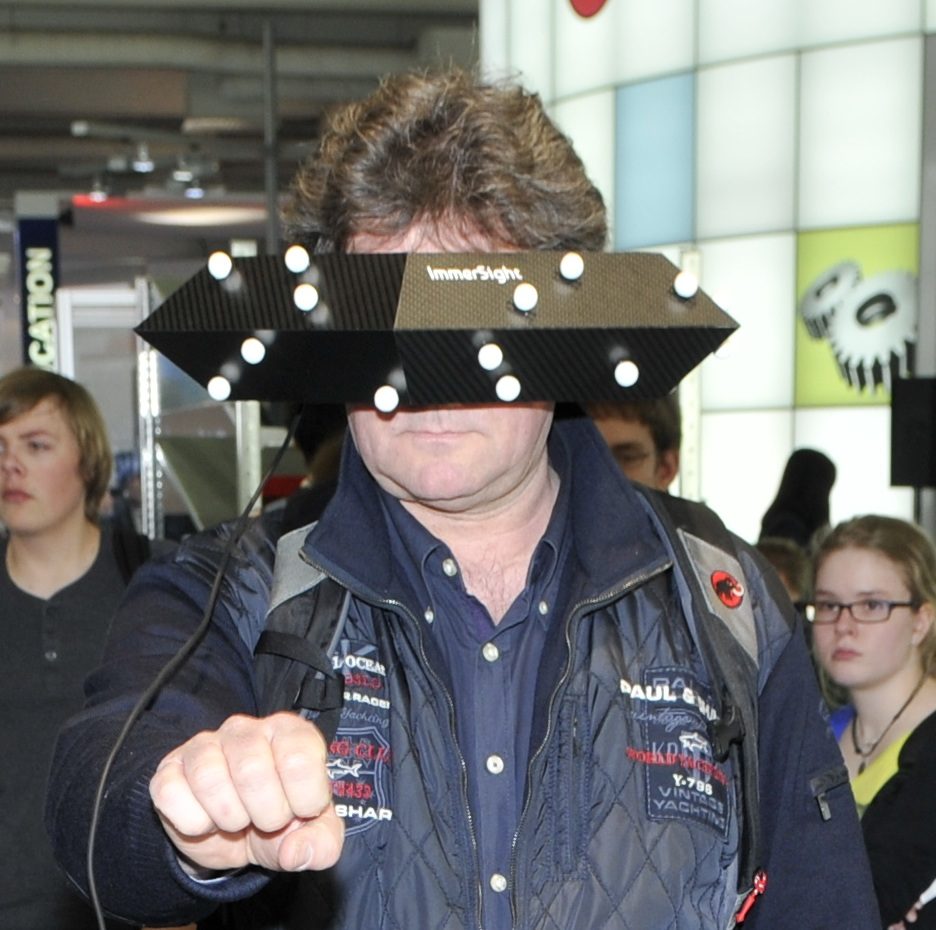
ImmerSight is a positional tracking system, that can be used with any head mounted display, being produced by a company in Germany. Notably, this could be a solution for the Oculus Rift developer kit which currently lacks positional tracking. The tracking system, which utilizes a webcam and a fashionable pentagon worn on the head, tracks translational head movements which can be used to enhance immersion.
At first glance you might think that the ImmerSight sensor ring would be unwieldy, but it actually only weighs 100 grams (slightly less than an iPhone 5), according to Stefan Hörmann, one of three graduates in the University of Ulm’s Institute of Measurement, Control, and Microtechnology that are responsible for the system.
This impressive weight is thanks to the use of ‘sandwich carbon’ which is a lot like foam-core except with carbon fiber instead of paper on the outside. For reference, the Oculus Rift weighs about 379 grams.
ImmerSight uses optical tracking from a 60 FPS camera that hangs above the user and tracks the white balls, made of cotton, that are mounted on the sensor ring. The camera detects the balls and the shape of the ring, and a computer does the computations to enable 6 DOF head tracking without an IMU. Hörmann has published a paper on the algorithm used for tracking which you can find here.
The walkable space is defined by the camera’s viewable area which has been seen in demonstrations as a circle about 6 feet diameter (though ostensibly it could be increased by raising the camera). A controller can also be used to navigate further inside the virtual world than the physical walking space would allow.
ImmerSight’s positional tracking can be paired with any head mounted display. So far it’s been shown off with the Carl Zeiss Cinemizer (check it out in our HMD comparison chart), but Hörmann tells me it could be adapted to the Oculus Rift as well. The system takes about 10 minutes to set up, making it a viable replacement for more complex CAVE systems.
The video below (in German), gives an idea of how ImmerSight works.
The system is currently positioned for the architectural visualization field with small and medium sized businesses in mind. Hörmann told me that ImmerSight could potentially work for individuals as well, but they’re still working out the price.
For now, ImmerSight is likely to be optionally bundled with the PaletteCAD architecture software. With a one click, users of PaletteCAD can render their architectural plans with textures and lighting to be viewed in the ImmerSight system.
The company is currently running five pilot projects with customers in Austria and Germany and expects ImmerSight to be available alongside PaletteCAD in October 2013.
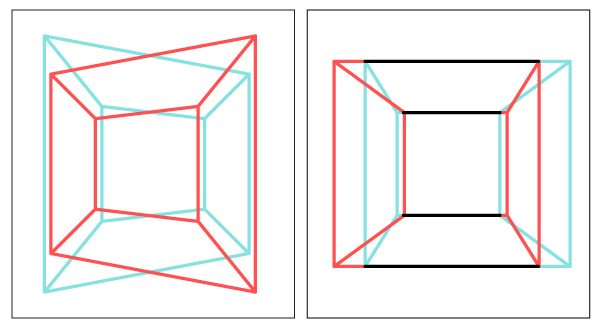
It turns out that rendering stereoscopic 3D images is not as simple as slapping two slightly different views side-by-side for each eye. There’s lots of nuance that goes into rendering a proper 3D view that properly mimics real world vision — and there’s lot’s that can go wrong if you aren’t careful. Oliver Kreylos, a VR researcher at UC Davis, emphasizes the importance of proper stereoscopic rendering and has a great introduction to 3D rendering for Oculus Rift developers.
The dangers of poor stereoscopic 3D rendering range from eyestrain and headaches to users not feeling right in the virtual world.
The latter of which is the “biggest danger VR is facing now,” Kreylos told me. The subtleties of improper 3D rendering are such that the everyday first-time VR user won’t think, “this is obviously wrong, let me see how to fix it.” They’ll say instead, “I guess 3D isn’t so great after all, I’ll pass,” says Kreylos. This could be a major hurdle to widespread consumer adoption of virtual reality.
Kreylos has a great introductory article about the ins and outs of proper stereoscopic 3D rendering: Good Stereo vs. Bad Stereo.
He also has an illuminating video that’s great for anyone not already versed in 3D:
“…here’s the bottom line: Toe-in stereo is only a rough approximation of correct stereo, and it should not be used. If you find yourself wondering how to specify the toe-in angle in your favorite graphics software, hold it right there, you’re doing it wrong,” Kreylos wrote in Good Stereo vs. Bad Stereo.
“The fact that toe-in stereo is still used — and seemingly widely used — could explain the eye strain and discomfort large numbers of people report with 3D movies and stereoscopic 3D graphics. Real 3D movie cameras should use lens shift, and virtual stereoscopic cameras should use skewed frusta, aka off-axis projection. While the standard 3D graphics camera model can be generalized to support skewed frusta, why not just replace it with a model that can do it without additional thought, and is more flexible and more generally applicable to boot?” he concludes.
Oculus Rift SDK and Unity Have the Basics, but There’s More That Can Go Wrong
“At the most basic, someone has to set up the proper camera parameters, i.e., projection matrices, to get the virtual world to show up on the screens just right. On the Rift, someone also has to do the lens distortion correction. Both these things are taken care of by the Rift SDK, by both the low-level C++ framework and the Unity3D binding. And as far as I can tell, both bindings do it correctly. It’s a bit more tricky in the Unity3D binding due to having to work around Unity’s camera model, but apparently they pulled it off.”
An example of a proper-skewed frustum 3D rendering
Kreylos checked his initial impressions with the SDK source code.
“For the Rift SDK, I went the source code route. I found the bits of code that set up the projection matrices, and while they’re scattered all over the place, I did find the lines that set up a skewed-frustum projection using calibration parameters read from the Rift’s non-volatile RAM during initialization. That was very strong evidence that the Rift SDK uses a proper stereo model. I then compared the native SDK display to the Unity display, and they looked as much the same as I could tell, so I’m confident about the Unity binding as well.”
“Any software based either on the low-level SDK or the Unity binding should therefore have the basics right,” he added.
But, there’s more that can go wrong. Developer vigilance is required.
“A lot of 3D graphics software does things to the virtual camera that they can only get away with because normal screens are 2D, such as squashing the 3D model in the projection direction for special effects, rendering HUD or other UI elements to the front- or backplane, using oblique frusta to cheaply implement clipping planes, etc. All those shortcuts stop working in stereo or in an HMD. And those tricks are done deeply inside game engines, or even by applications themselves. Meaning there are additional pitfalls beyond the basic stereo setup,” he said.
Kreylos gives the thumbs up to Oculus’ SDK documentation regarding correct stereoscopic 3D rendering, noting that inside there is a “very detailed discussion” on the matter. You can find the latest Oculus Rift SDK documentation here (after logging in). Anyone building an Oculus Rift game from the ground up should absolutely consult this document to get started with understanding proper 3D rendering.
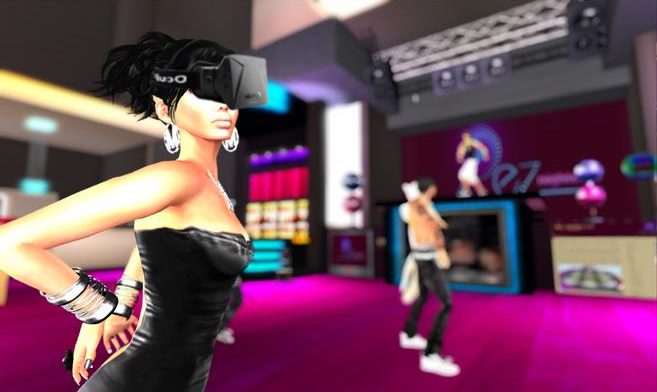
Second Life will soon be added to the list of Oculus Rift games, according to a report from New World Notes. A spokesman from Linden Labs, developer of Second Life, has confirmed Oculus Rift integration and promises “strong support” for the VR headset.
Second Life (2003)is a free massively multiplayer role playing game (MMORPG) where players create virtual avatars to inhabit the world. Players can create homes, clothes, buildings, and more; a virtual economy provides ways for players to sell and trade such goods. Second Life has around 33 million registered users.
“Yes, we plan to strongly support Oculus Rift. That means code, client, and server-side, to make the Oculus Rift experience excellent in Second Life”, NWN quotes Peter Gray, PR manager at Linden Labs. Gray didn’t offer a timeline for Second Life Oculus Rift support just yet – but judging by his words, the virtual reality studio is very interested in the device.
NWN is speculating that the first Second Life demos with Rift support could be released this year, with a full-fledged integration following when the consumer version hits the market. According to Oculus VR Inc’s own predictions, the Oculus Rift release should happen in Q3 2014 – so Linden Labs has lots of time to integrate a proper Oculus Rift mode into their version of the Metaverse.
In addition to the official information, several members of the development studios have unofficially pledged their support for the VR headset. Supposedly, there’s “lots of interest” and many Linden Labs developers are waiting for their private Oculus Rift dev kits. It will be interesting to see how well the Second Life integration for the Rift will work once it’s finished.
A New Challenger
Second Life is not the only MMORPG interested in VR — a possible competitor is already waiting around the corner; Philip Rosedale, original inventor of Second Life, has founded a new company called High Fidelity and wants to create “a new kind of virtual reality platform.”
Is it just a coincidence that his project has unveiled a few weeks after the first Oculus Rift developer kits shipped, or will High Fidelity’s VR platform support Rift as well? We’ll update you as new information pops up.
With support for these types of games on the way for the Oculus Rift, the acronym may grow comically longer — VRMMORPG.