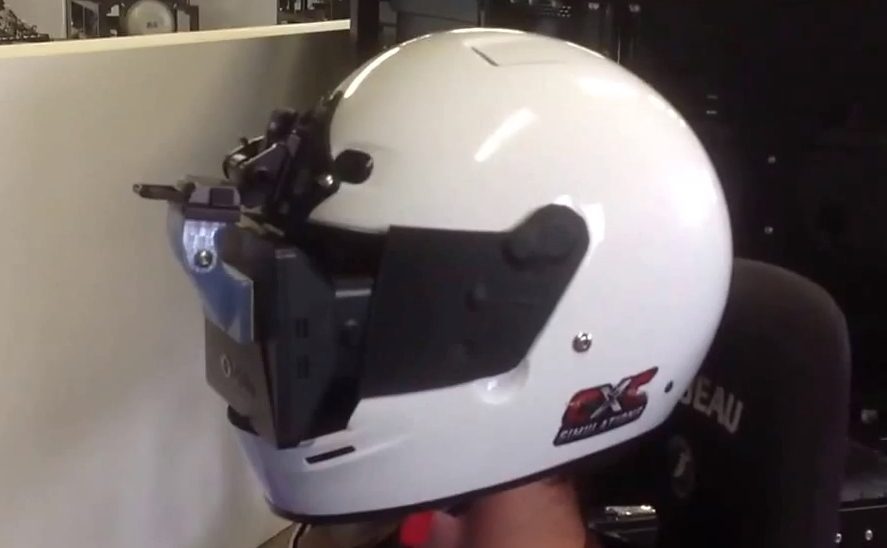
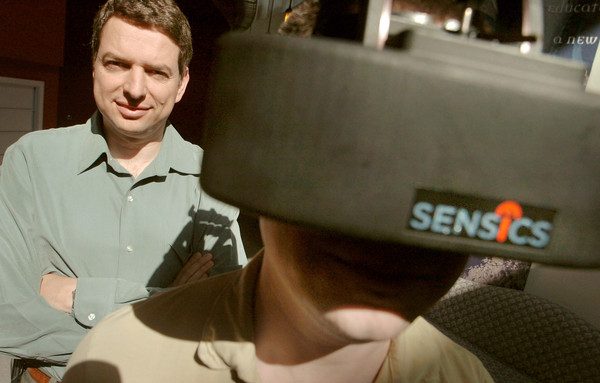
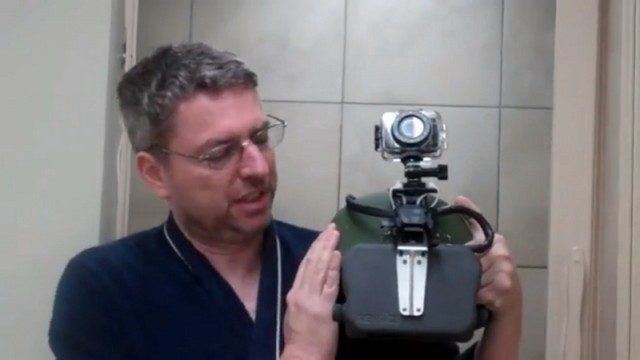
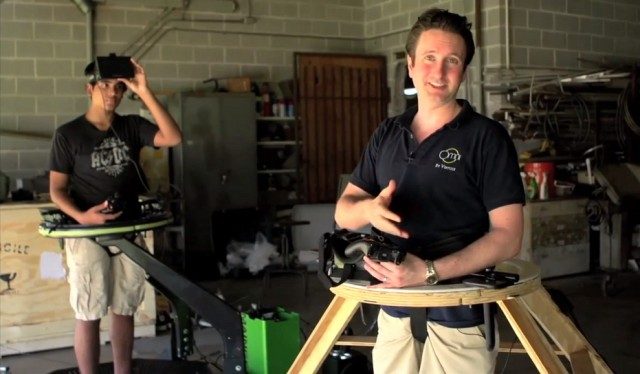
At GDC 2013, I sat down with Greg Truman, CEO of Forth Dimension Displays, for a chat about the future of VR. Truman believes that the time is right for virtual reality. He told me that right now is “the best opportunity ever to get consumers wearing head mounted displays.” Forth Dimension Displays works primarily in high-end microdisplays for military and research industries which come with a suitably high-end price. The company was not really at GDC 2013 to sell their product. Instead, they were there to help evangelize VR in the hope that, this time, it will break into the mainstream. Truman told me he loves what the Oculus Rift folks are doing and hopes they succeed because it has the potential to benefit everyone in the HMD market.
At GDC 2013, the legendary Michael Abrash took to the stage to talk about the Oculus Rift and virtual reality. Abrash, now working at Valve, has been researching augmented and virtual reality technology for the company. When he began his talk I thought he was discouraging virtual reality because of the many problems that need to be solved for a truly perfect VR experience. However, as he continued, I realized that he was actually being encouraging — he sees the problems ahead as challenges ripe to be solved by eager developers; this is an opportunity to define the future of gaming. Keep your eye on his blog for more on VR from Abrash.
Updated (4/1/13): Added videos in middle of presentation.
Michael Abrash’s GDC 2013 Presentation: Why Virtual Reality is Hard (and where it might be going)
Good afternoon. I’m Michael Abrash, and I’m part of the group working on virtual reality at Valve. Today I’m going to share as much of what we’ve learned as I can cram into 25 minutes; I’m going to go fast and cover a lot of ground, so fasten your seat belts!
17 years ago, I gave a talk at GDC about the technology John Carmack and I had developed for Quake.
That was the most fun I ever had giving a talk, because for me Quake was SF made real, literally.
You see, around 1994, I read Neal Stephenson’s Snow Crash, and instantly realized a lot of the Metaverse was doable then – and I badly wanted to be part of making it happen.
The best way I could see to do that was to join Id Software to work with John on Quake, so I did, and what we created there actually lived up to the dream Snow Crash had put into my head.
While it didn’t quite lead to the Metaverse – at least it hasn’t yet – it did lead to a huge community built around realtime networked 3D gaming, which is pretty close.
Helping to bring a whole new type of entertainment and social interaction into existence was an amazing experience, and it was all hugely exciting – but it’s easy to forget that Quake actually looked like this:
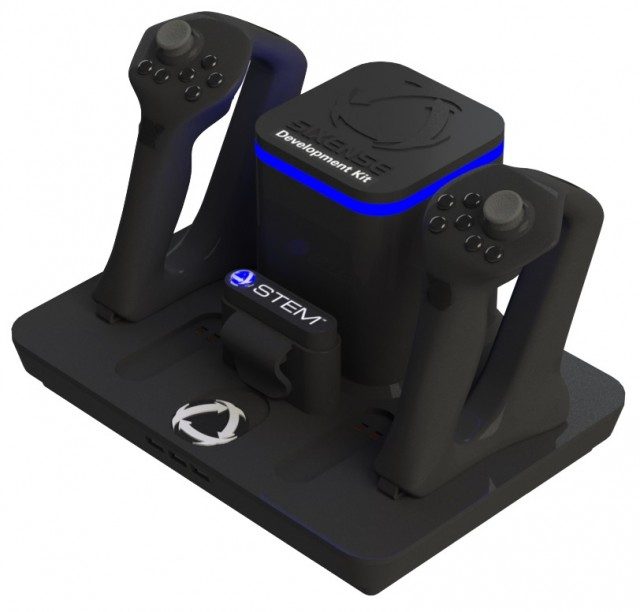
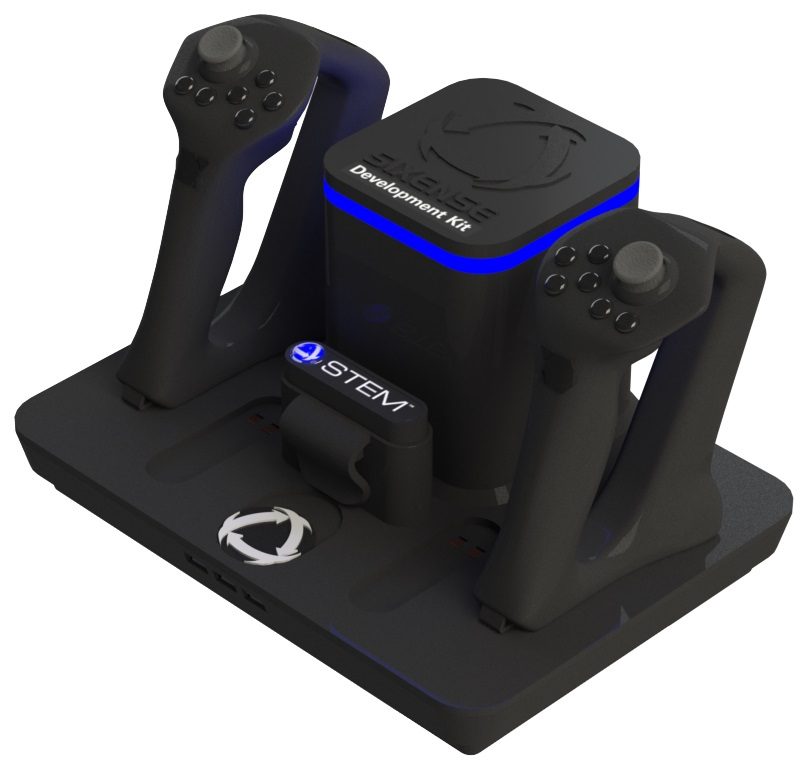
At GDC 2013 I met with the good folks from Sixense, makers of the Razer Hydra controller. They put me into the Oculus Rift and loaded up the Tuscany demo (built in Unity). This particular version of the demo has full Razer Hydra support, thanks to Sixense. Scattered around the space is a myriad of physics-driven objects to interact with — and damn is it fun! The combination of the Oculus Rift and the Razer Hydra is potent and incredibly immersive. The Tuscany demo, infused with support for the Razer Hydra, is hands-down the most fun I’ve had in virtual reality yet.
The Oculus Rift and Razer Hydra Are a Winning Combo
If you intend to develop for the Rift and haven’t jumped on the Razer Hydra bandwagon yet, I highly advise that you do so (don’t miss their current sale).
Interacting with the Tuscany demo using the Razer Hydra was not only natural — it was fun! Reaching out and touching objects with your own virtual hands is miles more immersive than using a keyboard and mouse. You can do things with the Rift and the Hydra that you simply can’t do with a monitor and traditional input.
The moment that really sold me was when I tossed a basketball up into the air above my head (see 3:35 in the video). I threw it in a way that the trajectory of the ball would have it landing somewhere slightly behind me. My natural reaction was to look at the ball as it was coming down, lean back, and grab it — and that’s exactly what I did. I didn’t have to think to myself, ‘how do I need to move the controls in order to do what I want to do,’ I simply followed the ball as it flew through the air, reached up behind me, and plucked it out of the air.
I was blown away the moment I caught the ball and realized what had just happened. The immersion that comes from the Rift and the Hydra is extremely impressive and vividly promising. The barriers that separate humans and computers are falling away before our very eyes.
A Visit to Tuscany
There was more to the Oculus Rift Tuscany Razer Hydra demo (we’re going to need a shorter name) than the basketball. There were plenty of objects: books, chairs, logs, barrels, etc. Interacting with things felt incredibly natural.
Picking up a book and bringing it close to your face to see detail was really cool. With a book in my hands I couldn’t help but want to open them to see the pages inside — something Sixense says they would have added given more time. Also exciting was the ability to hold out your finger using one of the Hydra’s buttons and trace a line from the cover art on one of the books; the accuracy is quite impressive (0:45 in the video).
Maybe it was that I was tossing heavy barrels hundreds of feet like a superhero, but throwing objects was immensely fun. At first I was releasing objects just a bit too soon, but eventually I got the hang of it and was launching objects clear off of a cliff into the sea below. I nailed the underhand volleyball serve on my first try which was quite satisfying (7:11).
You can easily grab two objects at the same time, or pass and object back and forth between your hands as you manipulate it. There are clear implications for gameplay here: being able to do something with one hand while doing something entirely different with the other hand is natural and useful. Examples that come to mind include holding a flashlight in one hand while pushing open doors with the other, holding a magnifying glass while inspecting an object, hooking two interlocking pieces of something together to form a key or other useful object, or loading shells into a shotgun.
The Tuscany Razer Hydra demo is absolutely the most fun I’ve had yet with virtual reality. Soon, game developers will be wrapping these new natural interactions in compelling narratives and enticing gameplay and I can’t wait to step into those experiences. This is an extremely exciting time to be a gamer!
Sixense tells me that they intend to release this demo to the public in due time — more on that as we hear it.
Joe’s daughter enjoys stepping through the Tuscany demo using the Oculus Rift.
Oculus Rift Developer Kits are finally arriving at people’s doors. The first 300 units are either on their way or have already landed. One of the earliest recipients of a kit and seemingly the first to publicly announce his new arrival, has torn himself away from his new prize long enough to talk to us about himself and his first few hours with the Rift.
The first few early Kickstarter backer have begun receiving their Oculus Rift Development kits. We collate initial impressions and early arrival screenshots. As if that weren’t enough, Oculus has finally opened the virtual doors to it’s online Developer’s Area, we take a peek.
Looking for a 5 minute ‘interview’ montage about the Oculus Rift? You won’t find it here. I sat down with Palmer Luckey (Founder) and Nate Mitchell (VP of Product) at GDC 2013 for an 18 minute chat about the Oculus Rift.
For those of you who shared your questions on Reddit, I do apologize that I wasn’t able to include all of them in the interview. There were some 130 comments on the thread and there’s no way I could use them all! But I do thank you for contributing and I incorporated those questions where I could.
You may be interested to know what lengths we go to in order to get you this precious Oculus Rift news out of GDC 2013; to get this video out to you today I stayed at the conference hall, long after everyone had cleared out, to get the necessary bandwidth to upload the video:
Stay tuned for more Oculus Rift coverage at GDC 2013!
We take a look at a new, Kickstarter-funded title from indie developer CloudHead Games that promises not only to support the Oculus Rift but to actively develop the core experience around it. In the game’s first Kickstarter update, Denny Unger, Creative Director at CloudHead Games, demonstrates how the Razer Hydra motion control peripheral might be used to further enhance immersion.
Peripheral manufacturer Razer has launched a sale offering 50% off its motion controller the Hydra through April 25th. Oculus included the promo in its latest email update and indicates the promotion was organised in association with them, presumably to coincide with GDC 2013. The Razer Hydra offers 1:1 positional tracking of hands and is quickly becoming the go-to peripheral for virtual reality gaming.
The Razer Hydra has been used to great effect with in-development virtual reality games like Project Holodeck and Armored Ops. With the controller, developers can easily integrate 1:1 hand tracking. Each controller has a thumbstick and buttons on it as well, meaning you get the benefits of hand tracking without taking away the fidelity of traditional inputs. This makes the Razer Hydra a highly flexible peripheral for virtual reality interaction.
A little while back I had a chance to test out Project Holodeck, an immersive multiplayer virtual reality game that a team at USC is working on. the Razer. In the game you can grab a virtual joystick to fly an airship, swing swords, wield guns, and shoot cannons — all thanks to the Razer Hydra. The experience of naturally interacting with a VR game world with my hands, instead of just tapping buttons or moving thumb sticks, was a significant factor in immersing me in the game. You can see our time in Project Holodeck here:
Oculus have announced that Oculus Rift developers will enjoy ‘Day One’ support from Epic Games’ ubiquitous Unreal Engine 3. Not only that but early adopters will also be able to jump straight into developing for free with the company’s UDK (Unreal Development Kit).
The Oculus Rift is at GDC 2013 this week. Earlier today I met with the Oculus team and got to test out he developer kit with the brand new Hawken, TF2, and DriVR and more. I also sat down for an interview with Oculus’ Palmer Luckey and Nate Mitchell which will come in due time. For now, take a look at the latest Oculus Rift demos:
The first thing you’ll notice when you put the Oculus Rift developer kit on your head is the low resolution. The second might be the ghosting that occurs when you rotate your head. This is, by all accounts, a developer kit that is not made for consumers. Oculus has said this time and again, and I want to reiterate it here. However, I have to say that once you start to move around, you lose sight of the ghosting and the low resolution and you start to become immersed in the world.
Both of the above mentioned ills will almost certainly be cured for the launch of the Oculus Rift consumer version; the company is well aware of which direction the hardware needs to go. The good news is that the developer kit should be sufficient for devs to get a head start on Oculus Rift development and — dare I say — even at this point it’s quite possible to have fun with the Rift.
Hawken
Today was the first day that the company demoed Hawken with the Oculus Rift. They dropped me into a map populated by bots. Around you is a highly compelling and immersive cockpit. The Hakwen team has built out a 360 degree cockpit. The back of it behind your seat is understandably dull, but the controls up front make you want to reach out and touch them. I can already see someone building a cockpit simulator for Hawken and the Rift. When I looked down I was confused to not find my own two legs; it seems like they should just be there, because your brain is telling you that you’re inside the cockpit of a mech.
In front of you is the game world, but you are protected from it by the glass of the cockpit. Scratches on the glass give an incredible sense of depth. It really looks like that windshield is a few feet in front of you. To the right and left you can see your mechs arms/weapons. Also on the right is some dust on the glass that, again, really drove home the depth effect.
I started cruising around in my mech and shooting at enemies. There’s no reticle at the moment, but it was easy enough to feel where your weapons would land. I’m thinking that a virtual HUD (fighter pilot-style) projected onto the mech’s windshield might work really well for Hawken.
One fun thing to do was to fly up as high as possible, look straight down, and then drop to the ground. Not only do you get a satisfying ‘smash’ into the ground, but the feeling of actually falling is nearly present.
Combat wasn’t significantly more compelling than vanilla Hawken, but the sense of depth definitely helps immerse you into the game. A pair of surround-sound headphones and some careful sound design to complement the VR visuals would make for an incredible experience.
After about 10 minutes in Hawken I started to feel a bit dizzy. I took the Oculus Rift off for a minute or two before jumping into the next demo and fortunately the feeling didn’t return for any of them. It seems some games might be more prone to this than others.
DriVR
DriVR is a virtual reality racing game that Oculus put together in Unity with some pre-made assets. Although it’s just a tech demo, it’s damn fun. Maybe more fun than Hakwen… that said, I only played for a few minutes. Part of the fun might have been from the force-feedback wheel that Oculus had me using.
In the game you are sitting in the driver’s seat of a red car. There’s almost no HUD, but if you look glance up through the big sunroof, you’ll see a virtual clock which I imagine will be used for lap times.
The car was placeholder art and had nothing more than a bland steering wheel inside. There’s obvious promise of how cool it would look to be inside once it is fully developed with gauges, pedals, and levers.
In the game you just cruise around and drift through turns with ease. After a few crashes into the wall, I got the hang of the drifting and it felt really cool to fly around the turns just right. I really hope that they continue to work on DriVR for the Oculus Rift!
Team Fortress 2
I didn’t have a chance to play TF2 myself, though I watched a few others take a stab at it. The control scheme looked like it would take some getting used to. Valve has programmed some 8 or so experimental control schemes so finding your ideal one might be part of it as well.
The game is what you expect out of TF2 except you are inside of your character. Valve still has some things to fix and update, such as preventing a third-person view when the player dies (as it can cause some weird feelings to suddenly be yanked out of first person). Valve is known to issue tons of updates to TF2 though so it’s likely that we’ll see continuous tweaks.
Epic Citadel
Epic Citadel has been shown before. It is the Unreal Engine showcase and although I spent the least amount of time in it of any of the demos, it left me wanting much more.
The game is much slower paced than the other demos. Instead of boosting around in a mech, cruising around in a car, or rocket jumping in TF2, you are slowly strolling around a detailed medieval castle. Snow falls around the landscape and each flake is a discernible distance from you thanks to the great 3D.
As I wandered down a slim alley, I looked up toward the enclosing buildings and really felt their scale. It wasn’t that they were extremely tall or anything, but the tops of the buildings actually felt far above me. The towering chapel gave the same great effect.
I can’t wait to see someone turn this space, or a similar one, into a puzzle/adventure game. The methodical exploration of a detail environment like Epic Citadel could be the first big thing for virtual reality gaming with the Oculus Rift.
In another update to Oculus Rift Kickstarter backers, Oculus have announced that a 4 month free trial of Unity Pro is to be supplied as part of the soon-to-be-shipped Developers Kit. However, many early adopters have been disappointed by the revelation that there’s now to be no Oculus Rift support in the free version. We take a look at the details and Palmer Luckey’s response to the criticism.
The hotly anticipated Oculus Rift developer kit is set to ship on March 29th, said Oculus VR, Inc. in their latest update.
We hope you’re ready– Dev kits should start shipping out to the earliest backers on March 29th (we may slip a day or two in either direction depending on customs). When your kit ships, you’ll receive confirmation info so you can track your Rift as it makes the journey from Oculus to your front door.
The company says that they expect to ship 1000 – 1500 Oculus Rift developer kits per week until everyone’s orders have been fulfilled. Oculus says they’re shipping around 7500 units (which would correspond to Kickstarter orders, not direct website orders). At 1500 units per week, the last unit would be delivered the week of April the 28th. However, they say that “weekly shipments will ramp up as we go,” so it’s possible that those on the tail end of the queue won’t have to wait that long. Orders through their website will start shipping after all of the Kickstarter orders have been fulfilled.
“Shipping 7,500+ development kits will take time, especially for the international backers out there. Just know that we’re moving as fast as we can to get great hardware out the door. No one wants the dev kits to arrive at your doorstep more than we do. Thanks for your patience!” read the latest update.
Oculus Rift Unboxing
Oculus Rift creator Palmer Luckey and CEO Brendan Iribe took the liberty of unboxing the first unit from the factory. We detailed what was in the box earlier this week, but we’re happy to now have confirmation that there are not one, but three international power adapters. Kudos to the Oculus folks for that! The company says that nearly 50% of Oculus Rift orders came from outside of the U.S.
The official contents of the Oculus Rift developer kit are as follows:
1x Rift Development Kit + Control Box (6ft cable)
1x Hard-Shell Case
1x 3ft Mini USB Cable
1x 3ft DVI Cable
1x 3ft HDMI Cable
1x 6ft HDMI Cable
1x HDMI / DVI Adapter
3x Pairs of Lens Cups (Focal Adjustment)
1x Power Cord with Adapter
3x International Plug Adapters
For those who backed Kickstarter tiers which awarded shirts and/or posters, the company says that they’ll begin shipping “within the next two weeks.”
Last month Sergey Brin took to the stage for a Google Glass TED talk. Reports of Brin’s 13 minute talk were readily available on the web, but TED never released a video. Why? Today Brin’s Google Glass TED talk video has finally hit the web, but not through any official source. A YouTube channel called ‘tedleaks’, which also hosts a controversial TED talk by Sarah Silverman which was never posted, is responsible for making the video available.
Why Ban Sergey Brin’s Google Glass TED Talk?
So why can’t you find Sergey Brin’s Google Glass TED talk on TED.com or the official TEDtalksDirector YouTube account?
Brian S. Hall of ReadWriteWeb, who called the talk “pure promotion” might have some hints to offer. He wonders whether or not TED was the right place for a Google Glass talk which didn’t quite speak to TED’s mission.
Sergey Brin’s Google Glass presentation at last week’s TED2013 conference came off as little more than a product pitch. Wearing his “Google Glass” throughout the presentation, Brin begins by noting that “when we (Brin and Larry Page) started Google 15 years ago, my vision was that information would come to you as you need it. You wouldn’t have to search query at all.”
The implication to all in attendance at TED2013 was clear: Google Glass delivers on the lofty Google vision. Is that the right approach for the TED Conferences?
For the most part I agree, but maybe not for the reasons you suspect.
I think Google Glass, and similar devices, has significant things to offer the world. It has the potential to change how we communicate with computers and with each other. If Brin had crafted his Google Glass TED talk to explain the ways that such devices might change our lives, it would have made for a much better talk, and one that I would have been happy to see up there on stage.
In its current form though, the Google Glass TED talk fell flat. We saw nothing new about Glass, and there was very little info about the impact the device would have. Maybe Brin was just being humble?
What do you think, should this talk have gone up on TED.com like all the others?
Valve has provided the first high-res glimpse of the unique TF2 Oculus Rift hat that users of the HMD will be able to wear. A patch for TF2, which enables ‘VR mode‘, rolled out yesterday alongside the news. Valve created an ‘Oculus Rift User Guide’ page in the Team Fortress 2 wiki which details exactly how to use the Rift with the popular FPS.
Hats are an odd obsession in the world of TF2. The game currently offers over 250 hats which can be traded freely among players. While some hats can be purchased for real money through the game’s online store, it’s unlikely that the Oculus Rift TF2 hat can be bought. With only around 10,000 dev kits currently ordered (and not all of those people will actually play TF2), the Rift hat is likely to be a coveted rarity, perhaps at least until the consumer version of the HMD launches.
Yesterday the patch that enables VR mode for the Oculus Rift went live. The top bullet in the changelog reads, “Added support for running VR mode on the Oculus Rift,” among other changes. Full patch notes here if you’re interested.
Additionally, Valve has put together a page in the TF2 wiki titled ‘Oculus Rift User Guide‘ which contains a surprisingly detailed list of info about using the Oculus Rift with TF2.
How to Use the Oculus Rift with TF2
To launch TF2 in VR mode, right-click on Team Fortress 2 in Steam, select Properties > Set Launch Options, then add ‘-vr’ to the command-line (without the quotes, of course). The wiki page notes that “you can also create desktop shortcuts with and without the “-vr” option to let you easily switch between VR or normal monitor modes.”
Following this initial setup, Valve recommends that you use the developer console to initiate calibration:
Although you can just start playing with the default settings, to avoid discomfort we highly advise calibrating the device for your eyes. See “Calibrating your Inter-Pupillary Distance” below.
If you use the “A” vision lenses in the Rift, you don’t need to do anything to let the game know. If you have switched to the “B” or “C” lenses, you will need to set the oculus_lens_type convar to “B” or “C” respectively.
They also have recommendations for reducing any potential motion sickness induces from using the Oculus Rift with TF2:
Start slow. For the first few sessions, plan to play for no more than ten minutes in VR.
Calibrate the device for your eyes. Having the correct IPD helps a lot.
Start with some of the slower characters, such as Heavy or Medic. Avoid the faster or close-range characters such as Scout, Pyro, or rocket-jumping with the Soldier – they can produce particularly intense experiences in VR.
Stop if you feel unwell. You cannot “push through” motion sickness, it just continues. If it gets bad it can last a long time after you stop playing. As soon as you feel uncomfortable, take the HMD off, take a break and do something else for a while.
Many people find that over time they become used to the effects – they get their “VR legs” – and can play for longer without feeling unwell.
Some very lucky folks never get any effects at all and can play for many hours. You are freaks and the rest of us are very jealous of you.
There are some tips for running the game as quickly as possible, thereby reducing latency between your commands and the Oculus Rift:
In the TF2 advanced video settings, make sure “Wait for vertical sync” is disabled.
In the TF2 advanced video settings, make sure “Motion blur” is disabled.
Make sure wait-for-v-sync is not forced on by video card control panel settings.
Disable the “Aero” Windows desktop composition engine. Right-click on your desktop, click “Personalize” and then select one of the “Basic” or “Classic” themes instead of an “Aero” theme. An easy way to tell that Aero is disabled is that your windows don’t have that translucent frosted-glass effect on their title bars any more.
Valve has also built a number of experimental VR control schemes into TF2. They say that the default scheme is what most people seemed to like in their testing, but encourage users to play with the settings to see what works best. A console command let’s you toggle through the different VR control modes:
vr_moveaim_mode: options for controlling movement and aim. Modes 0 through 4 are all interesting to try. 5 and above are probably not.
0: aiming and steering with your face, the mouse just rotates your “hips”. This is a good mode for use with a control pad.
1: aiming with your face, steering only with the mouse. This mode may be buggy and “drift” after a while.
2, 3, 4: slightly different versions of aiming with the mouse within a “keyhole” in your view. 3 is the default that TF2 ships with.
5, 6, 7: assorted other experiments.
You can also cycle to the next value with the console command “vr_cycle_aim_move_mode”
When we backed the Oculus Rift Kickstarter back in August, $300 for the Rift alone felt like a steal. Oculus has said that they’re making almost no margin on the Kickstarter. Knowing this, we’re impressed to learn that Oculus has stretched our cash to make sure that kits are delivered with everything a developer might need. After a visit to Oculus, The Verge reports that the Oculus Rift developer kit will be delivered with the SDK and more.
Upon opening their package, developers will be happy to learn that every cable is included. There will be no need to run out to your nearest electronics store to pick up an overpriced cable for the instant gratification of playing with the Rift.
The contents of the Oculus Rift dev kit package includes two HDMI cables, DVI cable, an HDMI to DVI adapter, MicroUSB cable (for power), an international power adapter, and three sets of ‘eyecups’ to help those with less than stellar vision. And it all comes in a carrying case which is styled after the Oculus Rift HMD. The Verge called the case “somewhat cheap”; even so, you won’t find us complaining.
Even bigger news is that the SDK will ready from the moment the box reaches the developer. The kit includes instructions to download the Oculus Rift SDK from the official Oculus website. Until this point Oculus has been quiet about the Oculus Rift SDK release date.
Once the package arrives, developers can load up the SDK and jump straight into some pre-made virtual reality environments (not to mention Team Fortress 2).