Latest Virtuix Omni VR Treadmill Video Shows Intense TF2 Gameplay With Oculus Rift and New Prototype

2

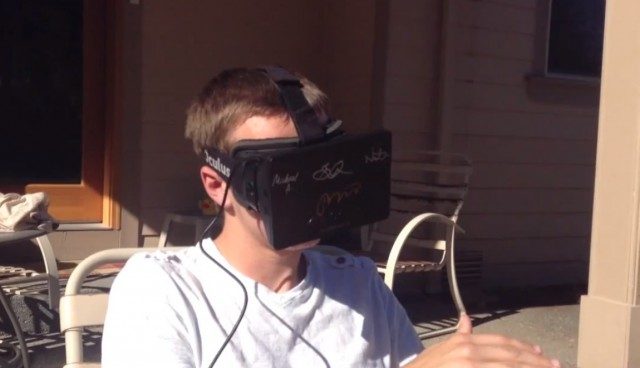
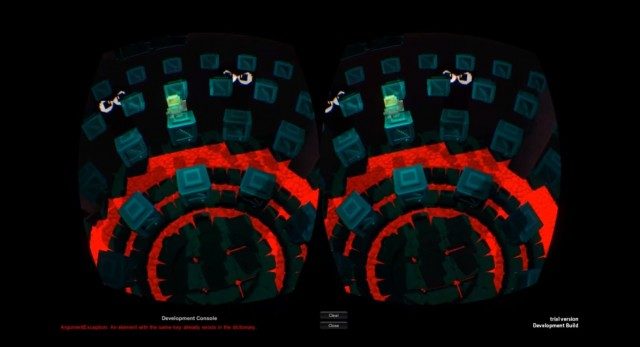
A new video of the Virtuix Omni omnidirectional treadmill shows the latest prototype unit being used to play TF2 with the Oculus Rift. As expected, using your entire body to move inside of the game looks significantly more immersive than using a keyboard.

Ladies and gentlemen, you’re looking at the future of gaming.

See Also: Virtuix Omni VR Treadmill Headed to Kickstarter: Walk, Jump, and Sprint in Virtual Reality

CEO of Virtuix, Jan Goetgeluk, told me about the TF2 experience that, “The action feels like real running. The immersion is intense. I had a former Marine try HL2 yesterday, and he was slightly shaking.”

At the moment the Virtuix Omni is using Kinect for tracking, but Goetgeluk say that the company is working on an integrated tracking solution that will be part of the Omni.

Actual running speed is not yet tied to in-game speed, according to Geotgeluk, but that will come in due time.

Gallery Kickstarter Ends With 127% of Goal, New Rift/Hydra Video Shows Tantalizing Early Gameplay

1
CloudHead Games Creative Director, Denny Unger, basks in a successful campaign.

CloudHead games, developers of the forthcoming Oculus Rift game The Gallery: Six Elements, have just closed a successful Kickstarter funding round with $82,937 of their $65,000 goal. A new video reveals some early gameplay which makes use of the Oculus Rift and Razer Hydra — the results are already look extremely promising.

In the last few weeks of the Gallery Kickstarter it wasn’t clear if they were going to make it. But as the deadline approached, it became apparent that the VR community was not about to see this project go unfunded. The campaign raised an average of $2,675 per day and ended with 127% of the $65,000 goal. This figure hit the $70,000 and $80,000 stretch goals which were Razer Hydra support and a female avatar, respectively.

Photo courtesy Kicktraq

The folks at CloudHead were clearly pretty excited about the end of the campaign:

We can’t thank everyone enough, though we’ll try! Truly, we’ve never seen such a heartfelt effort made by backers of any campaign to help a game succeed on Kickstarter. You are all simply incredible and your drive, your passion for where we can take things is such an inspiration to all of us here. We can’t wait to work with you!

The developers say that they’ll continue the funding drive at the official website soon to continue to raise money to make the game as good as it can be. Furthermore, CloudHead now needs your help to achieve ‘Steam Greenlight’ status to make the game available on Steam once it launches. This only requires a steam account and a click so go check it out!

New Video with Oculus Rift and Razer Hydra

As someone who has played inside a virtual reality world using the Oculus Rift and Razer Hydra, I couldn’t be more excited to see the early progress from CloudHead:

As I wrote after my hands-on with the Oculus Rift Razer Hydra Tuscany demo,

The Tuscany Razer Hydra demo is absolutely the most fun I’ve had yet with virtual reality. Soon, game developers will be wrapping these new natural interactions in compelling narratives and enticing gameplay and I can’t wait to step into those experiences. This is an extremely exciting time to be a gamer!

The Gallery looks to be doing just this — and damn am I excited! I can’t wait to step into the virtual world and reach into games to be immersed in ways never before possible with consumer hardware.

Combine this game with the Virtuix Omni and we’ll be in gaming heaven.

Oculus Rift USB Power Hack Eliminates Need for a Wall Adapter

0

oculus rift mod usb power hack

The Oculus Rift developer kit is driven by an external power source – but a resourceful modder has found a way to power the unit through USB, making the wall plug obsolete.

Virtuix Omni VR Treadmill Headed to Kickstarter: Walk, Jump, and Sprint in Virtual Reality

8

virtuix omni treadmill virtual reality

The Virtuix Omni is a passive omnidirectional treadmill that looks like it could fill one of the last major missing pieces of the VR puzzle. The Omni, which is soon to hit Kickstarter, allows players to walk, jump, and literally sprint inside of their favorite games. Virtuix CEO Jan Goetgeluk tells me he thinks his company has “cracked the formula” for a consumer omnidirectional treadmill that will have players more immersed than ever before.

I will admit, I was absolutely impressed when I saw that the Omni will allow players to actually sprint inside of their favorite games:

For a long time I’ve been saying that an omni-directional VR treadmill will have major implications for games. It’s one thing to hold a thumb-stick or mouse button and have your character sprint at 20 MPH for hours on end. But when you are the one who has to do the sprinting, things change fast — everything from gameplay to game pacing is impacted by how quickly your character moves.

In a game like GTA IV (Rockstar North, 2008), you constantly run from one point to the next in a huge city. With a system where you actually need to run to run, game developers had better expect a lot more walking. Suddenly those blocky pedestrians will need to high quality assets to stand up to the scrutiny of a player strolling by down the sidwalk. In a virtual world where the player really has to walk and run, maybe an entire city isn’t the best environment. Perhaps a single, high detailed, city block would be better suited to the medium.

If the Omni succeeds in its mission it will take VR gaming to a new level of immersion.

Imagine a terrifying game like Slender: The Arrival (Parsec Productions, 2013) wherein you are pursued in a dark forest by a terrifying daemon and the only way to survive is to run for your life. With a keyboard, you simply hold the ‘W’ key to sprint away from that nightmare. With a VR treadmill like the Virtuix Omni, you won’t just sprint at one set speed — you’ll have to actually run for your life. As I imagine this scenario in my head (playing Slender with the Omni, Oculus Rift, and Razer Hydra) I can almost feel the terror coursing through me. Mark my words, people are going to be screaming and sprinting for their lives, anxiously peering behind them to see if they’ve gotten away. I’ll be the first in line.

Coming to Kickstarter, Endorsed by Palmer Luckey

As reported by 3D Focus, Oculus VR Inc founder Palmer Luckey will be officially endorsing endorsing the Virtuix Omni in the forthcoming Omni Kickstarter campaign which is expected in May.

“Palmer and others (Chris Roberts, Paul Bettner) tried the Omni at SXSW in Austin this past March and greatly enjoyed it.  We were allowed to film our demo night for Kickstarter, so we’ll have some fun footage to share.  Palmer is endorsing the Omni for our Kickstarter campaign,” Goetgeluk told 3D Focus.

Be sure to read the rest of the 3D Focus Virtuix Omni interview.

Virtuix is in the process of filming and editing their Kickstarter video materials. The Omni price has not been announced but the obvious aim to is to make it affordable for your everyday gamer.

Virtuix Omni and the Oculus Rift

virtuix omni palmer luckey Jan Goetgeluk oculus rift
Palmer Luckey (Oculus VR) and Jan Goetgeluk (Virtuix Omni)

Virtuix CEO Jan Goetgeluk recently picked up an Oculus Rift developer kit and tested it with the Omni for the first time.

“I tried the Rift with the Omni this morning, a magical experience… Walking around the Tuscany villa with the Omni must have been my strongest VR moment so far.  My brain started to believe I was in Italy…  VR users will want and need a natural interface to experience VR.  I am now more convinced than ever that the Omni will become a crucial part of VR,” he told me.

Thanks to the built-in headtracking and wide FoV, the Oculus Rift makes a natural companion for the Omni. Together they take care of two huge components of the VR puzzle. Along with the Razer Hydra or a similar system for 6DOF hand-input, the trifecta will comprise a highly immersive virtual reality system at a price that consumers can actually afford — the first time this has ever happened.

Mechwarrior Online Oculus Rift Support On the Way?

1

mech warrior online oculus rift

The developers of MechWarrior Online, the latest title in the long-standing mech franchise, tried out the Oculus Rift at GDC 2013 and seem very impressed. Their report from GDC teases heavily that Oculus Rift support for MWO could be in the works.

MechWarrior Online is one of those titles that come to mind when you think about games that would work great with Oculus Rift support or in virtual reality in general: first off, you’re seated within a huge Mech – and who hasn’t dreamt of steering 50 tons of hardened steel through a futuristic battlefield? But more importantly, many reviewers have noted that games that put you in a seating position would be the best fit for the Rift.

How to Add Positional Tracking to the Oculus Tuscany Demo with the Razer Hydra

5

Tony Bowren recently shared his rather ingenious solution to the problem of the Oculus Rift Development Kit’s lack of positional tracking using the Razer Hydra on YouTube. He talks to us about this project, a little of himself, and walks us through the code changes needed to achieve Oculus Rift positional tracking with the Razer Hydra yourself.

If you’d like to skip to the Code walkthrough, select ‘Page 2’ from the select box above or click here.

The Oculus Rift Dev Kit and Its Greatest Shortcoming

What’s missing from the Oculus Rift developer kit besides a high resolution display? Positional tracking, or the ability to detect the position of a user in physical space (we went into more detail a little while back if you’re interested).  Tony Bowren caused a stir online when he recently posted a video demonstrating his clever solution to this issue.

That solution was, the Razer Hydra. Cunningly strapped to the back of the HMD, one of the Hydra’s controller units acted as a positional sensor and allowed Tony to use that data to customise the Oculus Rift Tuscany Demo, part of the Oculus SDK. One of the stand out moments of the original video (see above) is when Tony’s son demonstrates leaning out of one of the windows and looking around, something not currently possible with the Rift dev kit alone. We reached out to Tony, eager to learn more about his approach to this issue and to find out a little more about him. Happily, he not only agreed to an interview but also to share his annotated code with us (see the code walkthrough on the second page of this article).

Road to VR: Can you tell us a bit about yourself?

Tony: My education is a Mechanical Engineering (Robotics Controls) Degree from UCI but I quickly went into gaming instead of engineering.  My first graphics job was to make a 3D intro for Interplay Productions back in 1994ish.

I have worked at Interplay and Acclaim before going into commercial and film work.  I was an FX artist on Warner Bros’ Osmosis Jones before coming back to games again. October will mark 10 years with NCsoft,  2 of that working on GuildWars cinematics and the other 8 making Wildstar. I am most interested in working on human / computer interaction especially as it relates to art creation.  My goals in getting more involved with VR programming are to reduce the barriers for people to create in VR and create tools that make it fun and intuitive. I am interested in developing approaches that really disrupt the way people think about content creation.  In order to do this, work has to be done on better input methods, specifically better tracking of head and hands.

Road to VR: Would you describe yourself as a VR enthusiast? When did you become aware of the Oculus Rift?

Tony: Growing up in the 80’s I was always interested in the idea VR but there was never any way for me to really be “enthusiastic” about something I could never experience much.  I heard about the Rift from some friends of  who saw “John Carmack’s” new goggles at E3 last year.  I was immediately on Google, finding MTBS3D.com and educating myself on all the details.  I woke up every morning and checked Kickstarter for the Rift, and finally on August 1st I was able to be the 22nd backer.

Road to VR: What interests you about the Oculus Rift and where do you think it might lead the games industry? Is there one game in particular you’re interested in seeing ‘in’ the Rift?

Tony: What interests me about the Rift is the ability to put the user and the computer in the same “space”.  When I watch IronMan, and see Tony Stark physically interacting with all his data and models I get very excited to be able to work like that.  I have always loved the Kinect and [PlayStation] Move, but to effectively use them I have to be 6 to 8 feet from the screen.  Bringing that screen up to my face eliminates all that and suddenly all that technology becomes incredibly more compelling.

Road to VR: Do you think there are significant implications for non-gaming interfaces and applications? Is there anything in particular you’d be interested in seeing?

Tony: Minecraft, Skyrim, and any good flight and driving simulators would be fantastic.  I would love to see an MMO in VR, but it would have to be designed with much less emphasis on UI and keyboard interaction than most currently are. I have thought a lot about these challenges and doing it well really does require significant design time.

Road to VR: The Razer Hydra has been out quite some time (and some would say ahead if its time), do you feel it might be about to enter a renaissance with the reinvigoration of virtual reality?

Tony: In terms on non-gaming interfaces, back in January I started playing with the Hydra in an attempt to track a head and create a virtual window into my computer.  You can see the video here:

Tony: Tracking with the hydra was a pretty effective test.  I had tried using OpenCV to face track, but the processing was to slow.  The Hydra seemed to have no computational overhead, but one thing I did notice was that the aluminum frame of the Macbook Pro definitely warped the magnetic field. Different areas of the house or desk also effected it.  This is the primary weakness of the Hydra but because typical head motions are limited in range and speed, and because there are not typically a lot of metal object near your head, I feel it has potential.

Road to VR: What interests you about the Razer Hydra?

Tony: The Hydra interests me because it is a true 3 dimensional input device and it has buttons.  I have played with many type of gestural input schemes that read hands, but they don’t give reliable results. My mouse button ALWAYS clicks, it always drags and it always stops moving when I remove my hand. Without physical buttons, I have never been able to make any other gestural scheme work as effectively.  If its frustrating and inconsistent then it will not replace the mouse.

Road to VR: What next for you and the Oculus Rift? Any special projects you’d like to share with us?

Tony: My next project is going to be with the Kinect and the Rift.  I have all the code now to merge the two devices so once I get some time that is what I plan to play with.

Head over to page 2, where Tony walks us through the code changes to add Hydra positional tracking to the Oculus SDK’s Tuscany Demo.

Oculus Rift Teardown Reveals Good Modding Potential, High Repairability

2
oculus rift disassembly guide
Photo courtesy iFixit
oculus rift mod disassembly guide
Photo courtesy iFixit

Ever wondered what the inside of the Oculus Rift dev kit actually looks like or how it scores when it comes to reparability? If you have, be sure to check out iFixit’s extensive Oculus Rift disassembly. The writers take apart the device step by step and show what kind of choices Oculus VR has made during the design of the 7-inch developer kits with the help of great, descriptive pictures. What they find bodes well for the future of the Oculus Rift mod community.

Apparently, all that’s needed to separate the different parts of the Oculus Rift dev kit is a Phillips screwdriver, a plastic opening tool, and a quarter dollar. According to the iFixit teardown, the Rift is also very easy to reassemble and can be taken apart in less than 10 minutes. Because of this accessibility, the writers give the Rift a repairability score of 9 out of 10 points.

Oculus Rift Components

oculus rift mod
Photo courtesy iFixit

IFixit also reveals what type of microcontrollers are used in the Rift – for those of you that are into technical detail, here’s a short breakdown:

  • Display: Innolux HJ070IA-02D 7″ LCD, powered by a Himax HX8851 timing controller.
  • Headtracker / IMU (also known as Oculus Tracker V2): Oculus VR’s custom-designed 1000 Hz tracker
    • STMicroelectronics 32F103C8 ARM Cortex-M3 microcontroller with 72 MHz CPU
    • Invensense MPU-6000 six-axis (gyro + accelerometer) motion tracking controller
    • A chip that has printed “A983 2206” on top  – iFixit suspects that “this is a three-axis magnetometer, used in conjunction with the accelerometer to correct for gyroscope drift”
  • Control Box (feeds the HMD with HDMI, DVI, USB and power input):  Realtek RTD2486AD display interface controller, 256 KB Winbond W25X20CL serial flash, and a Techcode TD1484A synchronous rectified step-down converter

So, if you ever should have problems with your Oculus Rift Dev Kit or want to upgrade the existing components, then it looks good that you can grab your soldering iron and tweak the device yourself – which gives hope that future consumer versions of the Rift might be just as accessible.

Oculus Rift Mod Potential

The ease of disassembly offers a great perspective for the Oculus Rift mod: since the unit is so accessible and can be taken apart within minutes, adding features like positional tracking or Ambilight-like peripheral lighting are pretty easy… in fact, these additions have already been made! Caleb Kraft of hackaday.com has used an LED strip to illuminate the peripheral vision just like Ambilight does on your TV screen, while Tony Bowren has used one of his Razer Hydra controllers to add positional tracking. The results are stunning, especially considered that we’re only in the early stages of Rift hacking.

There are even more features that could be added to the Rift relatively easily: an LED system for optical flow positional tracking via a camera (akin to what PlayStation Move and PlayStation Eye do), dual cameras in front of the Rift for a video throughput and AR applications or even fancy technologies like small-scale eye-trackers that would make foveated rendering a possibility.

The possibilities are endless and all of us at Road to VR are excited to see what other features the hacking community will come up with. Do you have an idea for a Rift feature that the hacking crows should tackle? What would you like to see as an addition to your dev kit? Leave us a comment with your ideas!

90 Year Old Grandmother Tries on the Oculus Rift

0
grandmother tries oculus rift

User Paul Rivot from YouTube posted this video of his 90 year old grandmother taking a virtual reality trip to tuscany thanks to the Oculus Rift. She seemed very impressed with the graphics and at 1:16 quite adorably asks, “originally were these taken in tuscany?” regarding the scene around her. To her credit, when I was very young I thought that some games were so realistic that they must have been made of individual frames of real life photography….

On reddit, Rivot remarked on the span of technology that his grandmother has seen:

It was great watching her use it. To think she lived through the roaring 20s, the depression, and was 19 when WW2 started, and got to live long enough to use an oculus rift is mind blowing.

It’s interesting to see how this sort of natural input makes gaming more accessible for non-gamers. If I tried to get my grandparents to play a videogame using a controller, I think they’d have a very hard time using a control stick to navigate their view. But with headtracking and the Oculus Rift, looking around the scene is literally as easy as doing it in real life.

This video also brings back to my mind a tear-jerking short story about virtual reality that I covered on this site a year ago this month.

See All Oculus Rift News

The Gallery Kickstarter Fully Funded, Still Needs $5k for Razer Hydra Support

2
the gallery six elements kickstarter razer hydra stretch goal

the gallery six elements kickstarter razer hydra stretch goalJust a quick note of congratulations to the folks of CloudHead Games who just had their Kickstarter campaign for The Gallery: Six Elements fully funded. The game, which is influenced by the Myst series, brings ground-up support for the Oculus Rift. The Razer Hydra will hopefully be fully integrated into the game as well, but the funding level is still $5k short of the stretch goal that will enable it.

So far the developers have shown some cool demos of the Hydra being used in the game to enable interesting gameplay like tagging walls with spray paint:

With three days left, you can still secure a copy of the game starting at the $25 tier, with higher tiers offering earlier beta access. Contributing also brings the developers closer to the $70,000 stretch goal for Razer Hydra support.

The Oculus Rift and Razer Hydra Are a Winning Combo

When I tried out the Oculus Rift ‘Tuscany’ demo with Razer Hydra support a few weeks ago, I was blown away. The combination of the Oculus Rift and the Razer Hydra for natural input is worlds beyond what a controller or mouse and keyboard can provide — your hands are IN the game. But that’s just a tech demo.

The end of my hands-on article reads, “the demo is absolutely the most fun I’ve had yet with virtual reality. Soon, game developers will be wrapping these new natural interactions in compelling narratives and enticing gameplay and I can’t wait to step into those experiences. This is an extremely exciting time to be a gamer!”

If it hits the Hydra $70,000 stretch goal, the Gallery could be the first game to do just that — create a natural and immersive narrative experience that you can’t get from a computer screen and mouse/keyboard input.

Without your help, the game won’t make it to the Hydra stretch goal! Contributing to the Kickstarter is not a donation — you get the game for $25 and help it make a possibility for everybody at the same time! We’ve backed it and think you should consider doing the same!

We recently spoke with Denny Unger, creative director of the Gallery, to learn more about the vision of the game. It’s well worth a read if you have any question as to whether or not these guys know what they’re doing.

Below is a live-updating widget of the Kickstarter, keep your eye out for that $70k goal!

Oculus Rift Razer Hydra Tuscany Demo Now Available from Sixense

2

tuscany_banner-featured

Sixense, developers of the Razer Hydra, have officially released the Razer Hydra enabled ‘Tuscany’ demo that Ben had an exclusive hands-on with at GDC just a few weeks ago. The demo is a heavily customised version of the ‘Tuscany’ demo supplied as part of the Oculus SDK (Software Development Kit) which adds Hydra support and provides one of the most compelling VR experiences for the Oculus Rift yet seen.

The Oculus Rift and Razer Hydra’s Current ‘Killer App’

Sixense have announced the release of the Demo which our very own Ben described as “hands-down the most fun I’ve had in virtual reality yet.” and has since become a minor sensation in the VR community.

Download Oculus Rift Razer Hydra Tuscany Demo Here

Staff at Sixense’s own forum had recently stated that the demo would be released on Monday, but it later failed to appear. Sixense have told us that this delay was simply to ensure that any potential differences between the ‘Partner Preview‘ Oculus Rift HMDs they’d used to develop the demo and the final Developer Kit (now shipping) would not cause any compatibility or user experience issues.

Sixense tells us that they hope to release the source code for the level so that developers can take advantage of the work that’s been done, but there are still some logistics to work out on that front.

New Features

Those who don’t yet have their hands on the Oculus Rift but do have a Razer Hydra will be able to get in on the action too. The demo will detect whether or not the Rift is detected. If not you’ll get a standard view. If so, you’ll get proper 3D and warping.

This public release demo includes some additional features, one of which is a 3D interactive menu which can be controller via your virtual hands, overlaid on the gameworld. The new menu exposes various new settings that can be adjusted by the user:

Arm Length: Three options are available to change how far you can reach with the virtual arms

Longest – You can reach everything with ease. The reach distance is almost 2:1.
Long – Reach just a little further. Reach distance is 1.25:1
1to1 – Hand position matches your physical hand position

Crouching: If enabled, lowest position of either Hydra controllers will determine your crouch height. Use the plank and crouch walk through the window. This feature is needed when using the Arm Length option is set to 1 to 1 so that you can reach the ground.

Head Bob: This is disabled by default as can enhance nausea. Enable this to remove the wheels.

Crosshair: A 3d crosshair is rendered depicting your forward direction. This can be useful in helping to see that your forward direction has drifted. Use the Left Start button while facing forward reset your forward direction.

Ben said of his time with the demo:

Interacting with the Tuscany demo using the Razer Hydra was not only natural — it was fun! Reaching out and touching objects with your own virtual hands is miles more immersive than using a keyboard and mouse. You can do things with the Rift and the Hydra that you simply can’t do with a monitor and traditional input.

Razer Hydra Unity and UDK Plugins

For developers working with the Oculus Rift in Unity, Sixense has available a Razer Hydra plugin which provides code to start working with the Hydra. Two modes will help you get up and running — one which reads out all of the data from the controllers, and another which actually gives you a working hand demo similar to the one found in the Tuscany demo. Sixense tells us that Mac support for the plugin is on the way.

Download the Razer Hydra Unity Plugin Here

The company tells us that they’re also working on a Razer Hydra UDK plugin. Once complete they’ll have full support on both major Oculus Rift compatible game engines. They’ve shared this early prototype of their UDK Hydra implementation:

Oculus Rift Hawken Wallpaper for Road to VR Readers

0

oculus rift hawken wallpaper small

For those who just can’t wait to get your hands on the Oculus Rift version of Hawken (coming soon, we hope), we’ve whipped up a little something to tide you over. Thanks to a sweet poster that Oculus had hung up at their GDC booth and a little Photoshop wizardry, we built out a cool Oculus Rift + Hawken wallpaper for you. Maybe we’ll just call it ‘Hawkulus’ for short…

For the full resolution version, head over to the photo on Facebook and hit the download link below the photo to get yourself a 2048×1353 version suitable for your background! While you’re in the neighborhood anyway, don’t hesitate to let us know how we’re doing with a tap of the ‘like’ button.

See our List of Oculus Rift Games

The Gallery community Q&A with Denny Unger from CloudHead Games

2

gscreen11

We put your questions to Denny Unger from CloudHead Games, the development studio behind Oculus Rift integrated game The Gallery: Six Elements. A game that not only seeks to revive memories of classic adventure games such as Myst – but to also wrap it all in a Virtual Reality showcase.

Early Oculus Rift Reviews from Two Experts

0

oculus rift review

Since the very first reported arrival of the Oculus Rift developer kit on March 27th, units are trickling out to developers around the world. Two folks that I follow closely got their hands on a Rift to examine and both happen to be experts in their particular fields. They’ve posted their first early Oculus Rift review of the dev kit and both accounts are well worth a read.

Virtual Reality Researcher, Oliver Kreylos’ Early Oculus Rift Review

oculus rift review oliver kreylos

Oliver Kreylos is a PhD virtual reality researcher who works at the Institute for Data Analysis and Visualization, and the W.M. Keck Center for Active Visualization at the University of California, Davis. He maintains a blog on his VR research at Doc-Ok.org, where a few months back he showed us what it’s like to be inside of a CAVE.

Kreylos approaches the Oculus Rift as someone who has spent significant time with several head mounted displays and other virtual reality systems. He got to play with the Rift through a friend and says that he’ll “hold back a thorough evaluation until I get the Rift supported natively in my own VR software, so that I can run a direct head-to-head comparison with my other HMDs, and also my screen-based holographic displays systems using the same applications.” That said, he still delivers a verbose initial Oculus Rift review.

For Kreylos, praise comes right out of the gate:

…I’m very relieved that the Oculus Rift is as good as I had hoped. It’s surprisingly light, and the “ski goggle” design, which had me slightly worried, actually works. One unexpected benefit of the design is that it’s possible to put on and take off the unit without having to deal with the head straps, just by holding it up to one’s face, and still get the optimal view.

Kreylos compares his experiences with the Rift to that of the Sony HMZ-T1 and eMagin Z800 (see our HMD comparison chart):

I am utterly impressed by the optical properties of the lenses, especially considering how strong they are. Once the display sits properly (and it’s easy to seat), the entire screen area is in focus and clear. This is very different from my Z800, where I’ve yet to find a position where the screens are entirely in focus, and even from the HMZ-T1 with its better optics. There is very little chromatic aberration; I only saw some color fringes when I started looking for them. Given that the Rift’s field of view is more than twice that of the Z800 and HMZ-T1, it’s an amazing feat.

But, like we’ve all heard, the resolution of the dev kit leaves much to be desired. Oculus was well aware of this long before the kit even reached Kickstarter; they say that the consumer model will have a significantly improved screen. To that end, Kreylos seemed more concerned about the ‘screen door effect‘, which comes from a display’s subpixel structure, than the low resolution:

Now, the Rift has significantly more solid angle real estate over which these pixels are spread, so it is comparatively low-res, but that didn’t really bother me. No, the Rift’s problem is that there are small black borders around each pixel, which feels like looking through a screen door attached to one’s face all the time. I found that quite distracting and annoying, and I hope it will get fixed.

He also mentions ghosting (blurring of moving on-screen content) which is noticeable especially when turning your head because the entire scene moves (and blurs) around you.

When I tried the Oculus Rift at GDC the other week, ghosting felt more prevalent in some games than others, but it’s possible that I was simply getting used to the effect. Ghosting can be fixed by using a screen with a faster pixel refresh rate (the amount of time it takes for the pixels to change colors) and is expected to be greatly improved with the consumer version.

Kreylos moves onto the software, and while he says he’ll need to get his own programs working first to check how good the calibration is, when it comes to the distortion correction, he says that “the developers did a bang-up job.”

The Rift (or rather its SDK) does lens correction via post-processing. First, the virtual world is rendered into a “virtual” camera image, which is then resampled using a simple radial undistortion formula based on a quadratic polynomial. The fundamental problem with this approach is that it has to resample a 1280×800 pixel image into another 1280×800 pixel image, which requires very good reconstruction filters to pull off. The SDK’s fragment shader simply uses bilinear filtering, which leads to a distinct blurriness in the image, and doesn’t seem to play well with mipmapping either (evidenced by “sparkliness” and visible seams in oblique textures). The SDK code shows that there are plans to increase the virtual camera’s resolution for poor-man’s full-scene antialiasing, but all related code is commented out at the moment.

He goes on to mention that the Tuscany demo gave him a “pronounced feeling of dizziness from walking,” though he couldn’t put his finger on what was causing it — he hasn’t gotten dizzy in other VR environments.

Interestingly, motion sickness seems to be highly variable from one person to the next, and it even seems to be related to the demo being used. I spent at least 30 minutes in the Tuscany demo with the Razer Hydra and had no issues with motion sickness. My first experience with the Oculus Rift and Hawken, on the other hand, gave me a bit of nausea after about 10 minutes.

Kreylos says he’ll be looking into the cause of motion sickness once he has his own software running on the Oculus Rift. I’m sure others will be researching the problem as well as dev kits continue to arrive. I’m looking forward to what conclusions Kreylos reaches after a full Oculus Rift review.

There’s more to read from Kreylos’ early Oculus Rift review, go check out his full article!

Consumer 3D Expert, Anton Belev’s Early Oculus Rift Review

oculus rift review dev kit anton belev 3dvision-blog

Anton Belev has been running the 3dvision-blog for several years. He focuses on consumer 3D stereoscopy like 3D monitors and HDTVs. He approaches his early Oculus Rift review as someone who has experience with a number of consumer stereo systems and software and regularly plays games in 3D.

Belev starts out with some considerations for those who want to use the Oculus Rift with glasses:

Since I do wear prescription glasses as I’m a bit nearsighted, with -1.25 diopters what seemed to work best with the Rift was the middle B set of lenses as the A set produces a blurry image for me and the C set is a bit too much. I’ve also tested trying to fit my prescription glasses inside the Rift as they are pretty compact in size (the do fit inside), the effect I get with them inside using the A set is pretty much the same as when using the B set without the glasses. I prefer to use the B set of lenses as it is more comfortable than to try to wear my glasses inside the rift and if you wear larger prescription glasses you may have trouble fitting them inside.

Like many who have tried the Oculus Rift, Belev notes the low resolution.

“…looking at the Oculus Rift LCD display without the lenses it looks great in terms of detail, but since the lenses zoom it you can clearly see the pixels.” he wrote. Like many others have experience, myself included, he mentions that resolution concerns somewhat fade when you focus on the experience. “…if you stop paying too much attention to the pixels you can still enjoy what you get,” he continued.

Similar to others, motion sickness for Belev is not universal, but happens in one demo but not others.

“Strangely enough I get nausea fairly quickly only in the Oculus Tuscany Demo and not in any other of the demos I’ve tried or in TF2 (or at least not as fast as in the Tuscany Demo),” he wrote.

Belev has an interesting take on the 3D effect of the Oculus Rift. He acknowledges that, “the focus of the stereoscopic 3D support with the Rift is making things seem realistic,” but goes on to mention that the effect may seem subdued to 3D PC gamers who are used to games that provide exaggerated 3D:

And while [the stereoscopic 3D] works quite well in the demos, they may seem a bit flat for people used to playing games in stereoscopic 3D mode with a lot of depth – not intended to provide realistic proportions, but just to have a lot of depth. So if realism is your goal, it works quite well even now, though the lower resolution is a bit of a drawback here as well, but virtual reality does not need to always be true to real things, it can be used to provide “unreal” experiences as well. I suppose it can take some time for developers to pick up on stereoscopic 3D support for the Rift to be able to use it as best as possible and also to give adequate user control over the depth levels. From the currently available supported software I cannot say I’m impressed by the stereoscopic 3D support as much as by the VR experience, though both work well together.

I think he’s right about developers eventually picking up on and controlling the 3D effect. I can already think of some interesting “unreal” experiences that could be achieved by playing with depth — something like Hitchcock’s signature dolly zoom immediately comes to mind, but it’ll have to go out the window if it causes motion sickness.

There’s lots more detail to be gleaned from Belev’s early Oculus Rift review, go check it out!

See All Oculus Rift News

Reactive Grip Brings Tactile Feedback to the Razer Hydra, Other Motion Input Devices [video]

7
tactical haptics reactive grip razer hydra gdc 2013

At GDC 2013, a company called Tactical Haptics showed off a tactile-feedback system, called Reactive Grip, for motion-controlled input devices. The prototype I got to use consisted of a hacked up Razer Hydra built into a 3D printed housing with four sliders that move up and down in your hand as you grip the unit. For certain situations, like swinging a sword or flail, the system creates an impressively convincing sensation that could bring us one step closer to immersive virtual reality.

A Sensational Sensation

palmer luckey tactical haptics reactive grip
Palmer Luckey, creator of the Oculus Rift, trying the Reactive Grip prototype at GDC 2013 – Photo credit: Make

With the Reactive Grip system, translational motions and forces can be portrayed by moving the sliders in unison with the direction of force, while moving the sliders in opposite directions can create the feeling of the device wrenching in the user’s grasp.

When I asked Palmer Luckey what he thought about the system, he told me it was “totally badass.”

The sword and flail demos (see the video above) stole the spotlight for me. While the slicing motion felt good, the stabbing motion felt immediately natural. As you stab into the material, the handle of the unit seems to push back against you, as though there really is some resistance at the end of the virtual sword. Sliding the sword under the arm of the dummy and letting it slowly slide off the blade felt very convincing.

The flail demo was even better. Imagine swinging a flail over your head; think about the way that the grip of the flail would pull in a circular motion around your hand as the mass above you swings about. That sensation was very convincing with Reactive Grip. It almost felt like there really was a weight flying around above my head attached to the handle.

An Extra Layer of Immersion

Reactive Grip could provide another layer of immersion when combined with an experience like the Oculus Rift Razer Hydra ‘Tuscany’ demo. With a head mounted display, reaching out to grab objects with your own virtual hands is already highly immersive — adding realistic tactile sensation would take things to the next step.

Immediately I imagined that this would be incredible for a game like Chivalry: Medieval Warfare (PC, 2012), wherein you engage in combat using any number of medieval weapons — including a flail. Such a setup would take advantage of both motion sensing for attacks and tactile feedback when striking opponents or parrying weapons.

Founding and Future of Tactical Haptics and Reactive Grip

Tactical Haptics and the Reactive Grip technology comes out of the University of Utah’s Haptics & Embedded Mechatronics Laboratory. The company is a recent startup, founded Dr. William Provancher, which hopes to commercialize the Reactive Grip technology.


reactive grip skin stretch tactile feedbackIn addition to the handle-based unit that I tried at GDC, the technology can be applied to a number of other applications, such as finger-based systems that can be built into gamepads and small tool-like implements which could provide tactile feedback for virtual surgery training.

Provancher, who holds a Ph. D. in Mechanical Engineering and is currently an Associate Professor at the University of Utah, told me that Reactive Grip is not restricted to the Razer Hydra. It could be implemented with a Wiimote, PlayStation Move, or even a new motion tracking peripheral altogether.

The company intends to launch a Kickstarter this summer to fund developer kits, expected to cost $150, though the final implementation of the technology might happen on a license basis rather than a product directly from Tactical Haptics.

Excitingly, Provancher thinks that a system incorporating Reactive Grip would only add about $50 to the price tag of an in-production motion tracking device, which I think many looking for an immersive virtual reality experience would be willing to pay for.

FaceX Real-time Facial Animation Could Add Immersion to Multiplayer Games [video]

3

At GDC 2013 I saw a cool demo at the AMD booth called FaceX. Created by a company called Mixamo, FaceX tracks a player’s face using a standard webcam and can use that data to animate a 3D model in real-time. While this tech could be used as cheap motion capture to animate computer-controller characters, the much more exciting implication would be real-time facial animation for multiplayer games where teammates communicate with voice chat.

FaceX could be an elegant solution to increasing immersion in current multiplayer games that aren’t yet making the leap to full blown VR.

In theory, the system is perfect for a PC gamer. Most likely they’ve already got a microphone/headset to communicate with teammates. If they’re on a laptop, they already have a camera, or if they’re using a desktop, a cam can be picked up on the cheap — either way, they will already be close to the camera for accurate tracking. Developers wouldn’t even need to sync the audio to the facial animation as they are both being delivered in real time. There’s a huge audience of PC gamers to which this technology could be deployed quickly and inexpensively.

Using this tech with console gamers would be a bit more complicated, but not impossible. Current console cameras like the Kinect and PlayStation Eye probably don’t have the necessary resolution to accurately track gamers’ faces as far as the couch. Higher resolution cameras would be an easy fix, and we’ll probably see that from the Kinect 2 and the PS4 Eye.

FaceX tracks more than just mouth and eye movement. It uses the incoming data to convincingly animate cheeks and other subtle face muscles thanks to machine-learning analysis of over 30 test subjects, Mixamo told me.

You can see that it’s a bit jumpy in the video as I turn off to the side to ask the rep questions and look down at my camera, but front-on, where PC gamers are looking all the time, it works quite well, and I would expect it to get better over time.

I can imagine it now: hunkered down in Battlefield 3 with bullets whizzing over my head. The M-COM Station objective is just a few yards away, but the defensive line has me and a teammate suppressed. My teammate, who is communicating with me over voice chat, turns to me and says, “Drop some smoke and head straight for the station, I’ll flank left and take them out,” all the while, I can actually see his mouth moving in real time — and hear the audio emanating from his avatar. This would be significant step forward over simply hearing a disembodied voice coming from nowhere.

Another great place for FaceX would be slower MMORPG games like Second Life or World of Warcraft where players frequently have extended face-to-face interaction through trading, meetings, and general banter. Second Life with FaceX would be fun, but the novelty of seeing a non-human avatar (like a Troll or Orc in World of Warcraft) animated as though you are talking through them would be very cool indeed.

While this tech would be great for virtual reality as well, there are some issues. The near-term future of virtual reality will likely revolve around head mounted displays like the Oculus Rift. This means that the eyes are always going to be obscured to a normal webcam. There was ways around this, like small eye-tracking cameras inside of the HMD, but that adds an extra hardware requirement which quickly begins to shave down the potential audience. There’s also the issue of head-tracking wherein players using head mounted displays will not always be looking directly at a computer monitor in front of them. Thus their faces will sometimes be obscured when they turn away from the camera and tracking would be lost.

But mainstream virtual reality gaming is still a little ways off. Meanwhile, there are tons of games that could benefit from this tech; Mixamo tells me that FaceX will be launched in the next 6 months.

39,929FansLike
13,574FollowersFollow
66,541FollowersFollow
27,800SubscribersSubscribe

Latest Headlines

Features & Reviews